
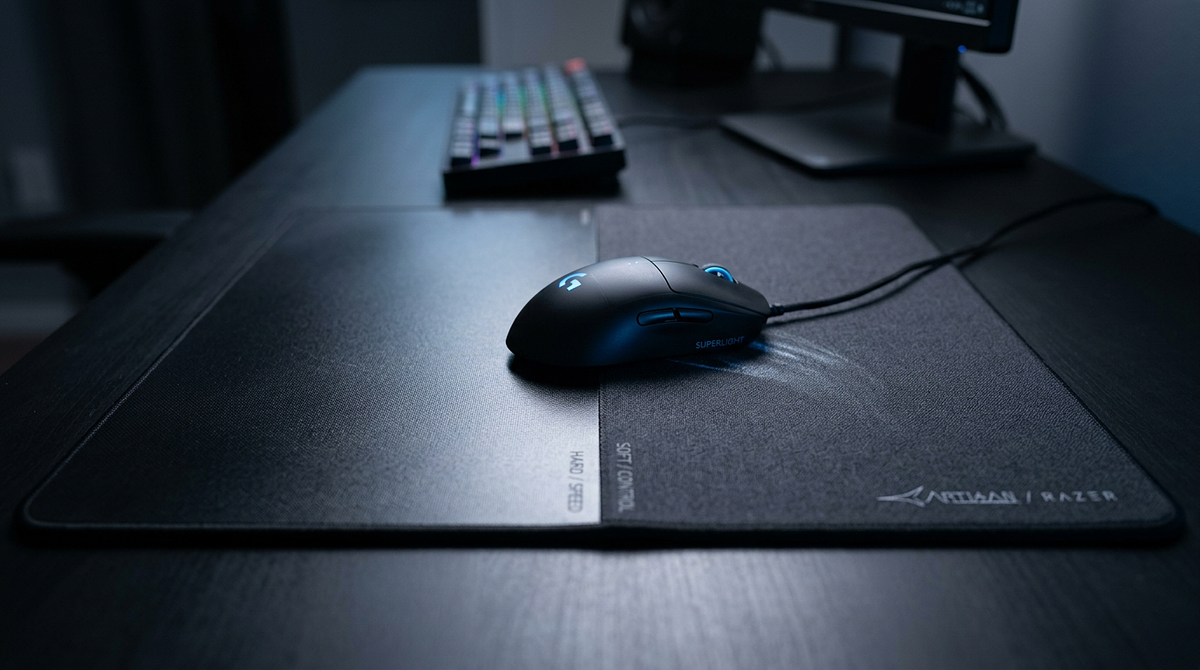
The hard vs soft mouse pad debate comes down to real differences in how each surface affects your mouse movement, tracking accuracy, and comfort over long sessions. This page covers the performance differences between the two surface types, including how they suit different games, sensitivity settings, and playstyles. You’ll also find guidance on maintenance and long-term value to help you pick the option that fits how you actually play.
Hard vs Soft Mouse Pad: Understanding Surface Types for Gaming Performance
Hard vs Soft Mouse Pad: Quick Comparison Table
The table below compares hard and soft mouse pads across six factors that matter most for gaming performance and day-to-day ownership. These six things, speed, control, durability, comfort, maintenance, and cost, are what most people are actually weighing when they make this decision.
| Comparison Factor | Hard Mouse Pad | Soft Mouse Pad |
|---|---|---|
| Glide Speed | Very fast, minimal friction | Moderate speed, controllable friction |
| Tracking Control | Lower stopping power, requires precise movements | Higher stopping power, easier micro-adjustments |
| Durability | Surface lasts 3-5+ years | Surface degrades in 1-2 years with heavy use |
| Wrist Comfort | Firm surface, no cushioning | Cushioned, conforms to wrist pressure |
| Cleaning & Maintenance | Wipe clean in seconds | Requires washing, 24-hour dry time |
| Long-term Cost | Higher mouse feet replacement ($15-25/year) | Pad replacement every 1-2 years ($20-40) |
The sections below go deeper on game-specific recommendations, maintenance instructions, and a decision framework that maps pad types to specific gaming scenarios.
Understanding Mouse Pad Surfaces: Materials and Performance
Mouse pad performance comes down to how the surface material, mouse sensor, and friction all interact. Understanding that relationship helps you match a pad to your sensitivity settings and playstyle instead of just going with whatever someone online recommends.
What Makes a Mouse Pad “Hard” or “Soft”
Hardness is about surface compression and material density, not just how rough or smooth something feels. The materials used in each category create distinct performance characteristics that affect glide speed and control.
Hard pad materials and their characteristics:
- Rigid plastic (polycarbonate): The most common option. Provides consistent glide at an affordable price.
- Aluminum: A premium option with excellent heat dissipation and very high durability.
- Tempered glass: The fastest glide available. Comes at a premium price and needs careful handling to avoid breakage.
Soft pad materials and their characteristics:
- Cloth weave over rubber base: The most popular setup, available in various friction levels.
- Hybrid cloth (coated fabric): Faster than standard cloth, with a water-resistant surface treatment.
- Foam-backed cloth: Maximum cushioning for comfort, but slower glide speed.
Speed vs Control: What These Terms Actually Mean
Speed means low friction that lets you move the mouse quickly with little resistance. Control means higher friction that gives you stopping power for precise adjustments. Neither is better than the other. The right choice depends on your DPI settings and how you move. For a deeper look at how friction differences affect aim and performance, see this guide on speed vs control mousepads and how surface friction impacts gameplay.
Practical implications for gaming:
- High speed (hard pads): Less physical effort for large movements. Good for low-sensitivity players who make sweeping arm motions. Reduces fatigue during long sessions.
- High control (soft pads): Easier to stop exactly where you want. Better for high-sensitivity players making small wrist adjustments. More forgiving when tracking targets.
Mouse Sensor Compatibility: Optical vs Laser
Modern optical sensors work well on both hard and soft surfaces. The old idea that laser sensors need hard pads is outdated. That gives you the freedom to pick a surface based on what feels right, not what your sensor requires.
- Optical sensors (most gaming mice): Work well on both surface types with no tracking issues.
- Laser sensors (older technology): Slightly better on hard surfaces but still functional on quality cloth pads.
- Glass pads: May cause tracking issues with some optical sensors. Check compatibility before buying.
For modern gaming mice, go with the surface you prefer. Sensor type shouldn’t drive the decision.
Choosing By Gaming Genre and Play Style
Your mouse pad should match the movement patterns, precision demands, and sensitivity settings of the games you play most. The recommendations below are based on competitive player preferences and what each game type actually requires mechanically.
Best Mouse Pad Surface for FPS Games
FPS games split into two categories based on aiming style: tactical shooters that reward precise crosshair placement, and fast-paced arena shooters that demand quick flicks and rapid target switching. Your pad should match your game’s tempo and your preferred sensitivity range.
Tactical FPS (CS:GO, Valorant, Rainbow Six Siege):
- Recommended: Soft mouse pad with moderate friction
- Reasoning: These games reward precise crosshair placement and controlled spray patterns. The stopping power of cloth pads makes micro-adjustments easier when holding angles or tracking heads.
- Typical DPI range: 400-800 DPI with low in-game sensitivity
Fast-Paced FPS (Apex Legends, Call of Duty, Overwatch):
- Recommended: Hard mouse pad or low-friction cloth
- Reasoning: Rapid target switching and 180-degree flicks benefit from minimal resistance. Hard pads reduce physical effort during extended play sessions.
- Typical DPI range: 800-1600 DPI with medium sensitivity
Best Mouse Pad Surface for MOBA and RTS Games
MOBA and RTS games don’t demand the same precision as FPS games, but they do require fast cursor repositioning across large screen areas. Soft mouse pads are the better fit here because comfort matters more during 45-plus minute matches with constant mouse movement.
- Precision requirements are lower than FPS games (clicking units and abilities vs. headshots)
- Wrist cushioning reduces fatigue from repetitive clicking
- Control helps with accurate ability targeting and unit selection
Hard pads work fine for MOBA and RTS play, but they don’t offer much of an advantage given what these genres actually demand.
Matching Mouse Pad to Your Sensitivity Settings
Your DPI and in-game sensitivity settings directly affect which surface type will feel most natural. Low-sensitivity players make large arm movements that benefit from speed. High-sensitivity players make small wrist movements that benefit from control.
| Sensitivity Type | DPI Range | Movement Style | Recommended Surface |
|---|---|---|---|
| Low Sensitivity | 400-800 DPI | Large arm movements, full mousepad sweeps | Hard pad (reduces friction fatigue) |
| Medium Sensitivity | 800-1600 DPI | Mixed arm and wrist movements | Either surface works; test preference |
| High Sensitivity | 1600+ DPI | Small wrist movements, minimal arm motion | Soft pad (control prevents overshooting) |
These are starting points. Personal preference matters, and the testing section below gives you low-cost ways to figure out which surface actually works for you.
Real-World Ownership: Cost, Maintenance, and Durability
The sticker price is only part of the story. Long-term costs, maintenance, and comfort all affect how much value you actually get out of a mouse pad over time.
Long-Term Cost Comparison: Mouse Feet vs Pad Replacement
Hard mouse pads wear down mouse feet faster because of the increased friction between hard surfaces. Soft pads wear out over time from friction and oil buildup. Knowing these replacement cycles helps you figure out the real cost of ownership, not just what you pay upfront.
| Cost Factor | Hard Mouse Pad | Soft Mouse Pad |
|---|---|---|
| Initial Purchase | $30-60 (higher entry cost) | $15-40 (more affordable) |
| Surface Lifespan | 3-5+ years (minimal degradation) | 1-2 years (friction increases, surface wears) |
| Mouse Feet Replacement | Every 3-6 months ($8-12 per set) | Every 12-18 months ($8-12 per set) |
| Annual Maintenance Cost | $16-48/year (mouse feet) | $0-20/year (occasional pad replacement) |
| 3-Year Total Cost | $78-204 (pad + feet replacements) | $45-100 (2-3 pad purchases + feet) |
If you’re watching your budget, soft pads tend to cost less over time. If you want consistency and minimal upkeep, a hard pad may be worth the higher ongoing expense.
How to Clean and Maintain Each Mouse Pad Type
Cleaning your mouse pad regularly extends its life and keeps the glide feeling consistent. The process is pretty different depending on which surface type you have. For a complete breakdown of safe cleaning methods for every pad material, see this detailed guide on how to clean a mouse pad without damaging it.
Hard Mouse Pad Cleaning:
- Daily maintenance: Wipe the surface with a microfiber cloth after each session to remove dust and oils. Takes about 10-15 seconds.
- Weekly deep clean: Spray with isopropyl alcohol (70% concentration) or glass cleaner, then wipe thoroughly with a microfiber cloth.
- Stubborn residue removal: For sticky spots or spills, use mild dish soap with warm water, scrub gently, then dry completely with a lint-free cloth.
- Avoid abrasives: Skip paper towels, rough sponges, and abrasive cleaners. They can scratch the surface and mess with glide consistency.
Soft Mouse Pad Cleaning:
- Preparation: Fill a sink or tub with lukewarm water and add a small amount of mild detergent or dish soap. Avoid harsh chemicals that can damage the rubber backing.
- Gentle scrubbing: Submerge the pad and use a soft brush or cloth to scrub the surface in circular motions, focusing on discolored areas.
- Thorough rinsing: Rinse under running water until all soap is gone. Soap residue affects glide and attracts dirt.
- Water removal: Press the pad firmly against a flat surface to squeeze out excess water. Don’t wring or twist it, as that damages the rubber base.
- Air drying: Hang the pad or lay it flat in a well-ventilated area for 24-48 hours until completely dry. Using a damp pad causes tracking issues.
Comfort, Ergonomics, and Desk Protection
During long gaming sessions, comfort matters just as much as performance. Surface firmness affects your wrist health, how much heat builds up, and whether your desk stays protected.
Hard Mouse Pads:
- Wrist support: No cushioning at all. You’ll want a separate wrist rest for extended sessions to avoid fatigue and potential repetitive strain injury.
- Heat dissipation: Very good. Metal and glass surfaces stay cool even during long gaming sessions.
- Sweat resistance: Better than cloth. Non-porous surfaces don’t absorb moisture or get sticky.
- Desk protection: May scratch wooden desks. Put a protective layer underneath if that’s a concern.
Soft Mouse Pads:
- Wrist support: Built-in cushioning conforms to wrist pressure, which reduces strain during multi-hour sessions.
- Heat dissipation: Moderate. Cloth traps some heat, but quality pads use breathable weaves to help with that.
- Sweat resistance: Not as good. Cloth absorbs moisture over time and needs more frequent cleaning.
- Desk protection: The rubber backing protects your desk surface and keeps the pad from sliding around.
Testing Mouse Pad Preferences Before Buying
Mouse pad preference is personal and hard to predict without actually trying one. The methods below let you figure out which surface type works for you using low-cost or zero-cost approaches before spending money on a premium pad.
Household Items for Surface Testing
Common household items can simulate hard and soft mouse pad characteristics well enough to give you a real sense of your preference. These won’t perfectly replicate a premium pad, but they’re good enough for an initial read.
Simulating Hard Pads:
- Smooth cutting board or clipboard: Provides a hard, fast surface similar to plastic mouse pads. Test for 30-60 minutes of actual gaming.
- Glass table or mirror: Replicates the ultra-smooth feel of a glass pad. Make sure your mouse tracks properly on it first.
- Hardcover book or magazine: Works for a quick test but isn’t durable enough for extended use.
Simulating Soft Pads:
- Folded bath towel or t-shirt: Creates a cushioned, high-friction surface similar to control-oriented cloth pads.
- Thin fleece blanket: Provides moderate friction, somewhere between a towel and a premium cloth pad.
- Neoprene laptop sleeve: The smooth rubber surface is close to what a hybrid cloth pad feels like.
Test each surface type for at least one full gaming session to get a real feel for comfort, control, and whether the glide speed matches how you move.
Budget Mouse Pads for Preference Discovery
Spending $10-15 on a budget pad from each category gives you an authentic surface experience without committing to a premium purchase. It costs less than one high-end pad and gives you real feedback to make a confident decision.
Hard Pad Testing ($10-15):
- Generic plastic or aluminum pads from Amazon Basics or similar brands
- Gives you an authentic hard surface experience for minimal investment
- Enough to tell whether hard pad glide speed suits your playstyle
Soft Pad Testing ($8-12):
- Basic cloth pads from SteelSeries QcK or similar entry-level options
- Gives you genuine cloth pad control and comfort characteristics
- Good enough quality to tell whether the cushioning and friction work for you
Once you know which surface type you prefer, you can upgrade to a premium option with confidence. If you’re also deciding between a dedicated mouse pad and a full-desk surface, the comparison of desk mats vs mouse pads and which workspace surface fits your setup covers the key differences in size, materials, and use cases.
Selecting the Right Gaming Mouse Pad Surface for Your Setup
The hard vs soft mouse pad decision comes down to whether you want speed and consistency (hard) or control and comfort (soft). Your gaming genre and sensitivity settings should drive that choice more than any general recommendation. Try both surface types using budget pads or household items before spending money on something premium. What you experience firsthand matters more than what anyone tells you in theory.
For specific mouse pad recommendations across all price ranges and gaming genres, explore comprehensive gaming peripheral buying guides that match products to your exact gaming setup and budget.
Frequently Asked Questions
Do pro gamers prefer hard or soft mouse pads?
Professional FPS players are split roughly 60/40 in favor of soft cloth pads. Tactical shooter pros (CS:GO, Valorant) overwhelmingly choose cloth for the control it offers, while fast-paced FPS pros show more variation based on personal preference. The majority lean toward cloth because micro-adjustments matter so much at the competitive level.
Will a hard mouse pad damage my desk surface?
Hard mouse pads with rough or unfinished undersides can scratch wooden desks over time, but most quality hard pads include protective rubber feet or soft backing to prevent that. If you’re concerned, put a thin desk mat or felt pad underneath as an extra layer of protection.
Can I use a hard mouse pad with a wireless gaming mouse?
Yes, hard mouse pads work fine with wireless gaming mice. They actually have a small advantage here: the smooth surface reduces friction that can drain battery faster during intense sessions. If you’re weighing connection types for your mouse overall, this wired vs wireless gaming mouse performance comparison covers latency, battery life, and competitive viability in detail. Modern wireless mice have no compatibility issues with hard surfaces.
How do I know if my mouse pad needs replacement?
Soft mouse pads need replacing when you notice increased friction, visible wear in high-use areas, or when cleaning no longer restores a smooth glide. That usually happens around the 1-2 year mark. Hard mouse pads rarely need replacing, but swap one out if the surface develops scratches that affect tracking or if the edges get sharp enough to damage your mouse feet.
Are expensive mouse pads worth the price difference?
Premium mouse pads ($40-80) offer noticeably better consistency, durability, and stitched edges that prevent fraying compared to budget options ($10-20). For competitive gamers playing 15-plus hours a week, that’s worth it. Casual gamers tend to see diminishing returns above the $25-35 mid-range price point, where quality is already solid for recreational play.
Do RGB mouse pads affect gaming performance?
RGB lighting is purely cosmetic. It won’t change how your mouse tracks or how smoothly it glides. The one real trade-off is a occupied USB port to power the lighting. If that’s a worthwhile exchange for the aesthetics, it comes down to your setup priorities, and browsing a few top-rated RGB mouse pads can help you find the right balance.