
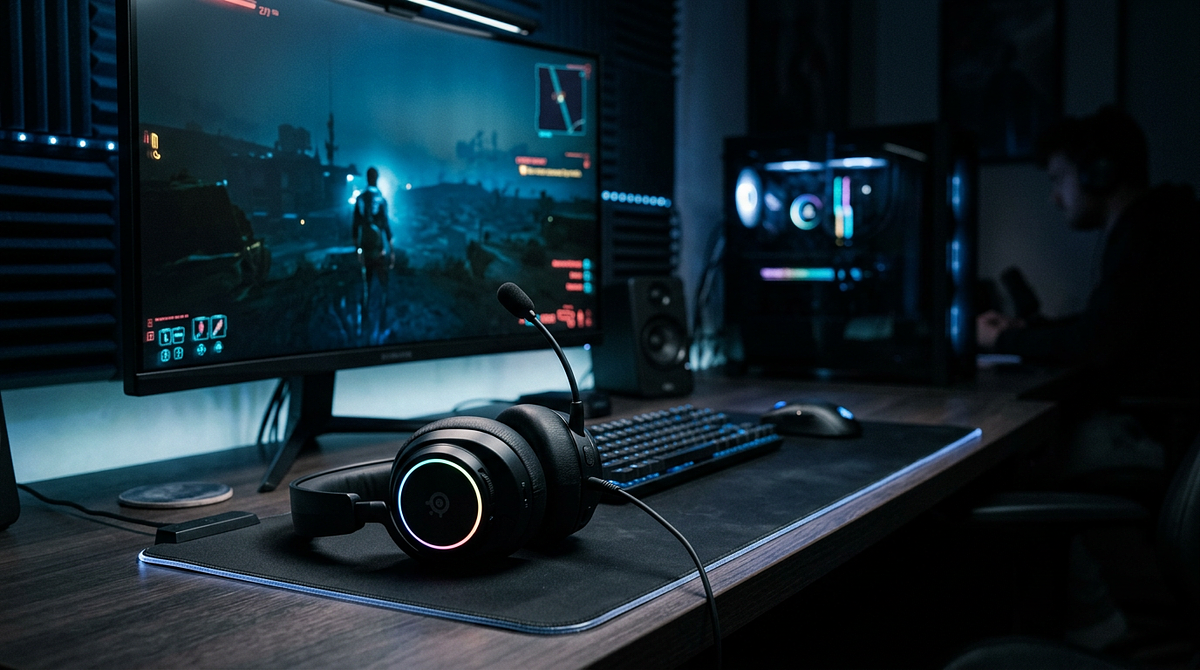
Headset vs speakers is one of the most common decisions a PC or console gamer faces when setting up their audio. This page compares both options across the factors that matter most: sound quality, positional audio, comfort, and how well each works in different living situations. By the end, you’ll have a clear sense of which option fits your setup and gaming habits.
Technical Differences Between Headsets and Speakers
Knowing how headsets and speakers produce sound differently helps explain why each one works better in certain gaming situations. The core difference is in how sound reaches your ears, which affects both spatial audio and bass response.
Driver Architecture and Sound Production
Speakers typically use multiple specialized drivers, each handling a different frequency range. A standard speaker setup includes tweeters for high-frequency sounds like footsteps and gunfire, mid-range drivers for dialogue and ambient effects, and woofers or subwoofers for deep bass. Each driver vibrates at a different speed: tweeters shake rapidly for crisp highs, while subwoofers move slowly to create bass you can physically feel.
Headsets work differently. Each earcup has a single driver that handles the entire frequency range, sitting directly against your ear. That close placement gives you better directional precision, but it can’t match the physical bass impact you get from a separate subwoofer.
Soundstage and Spatial Characteristics
Soundstage refers to the perceived space where audio seems to come from. Speakers create a wider soundstage because sound travels through your actual room before reaching your ears. Your brain picks up reflections off walls and furniture to build a three-dimensional picture of the audio, which feels more natural and closer to how you hear things in real life.
Headsets produce a more intimate soundstage, with audio coming from right next to your ears. Audiophiles call this an “in your head” sensation, since the sound doesn’t seem to come from in front of you. That’s less realistic, but it makes it much easier to pinpoint exact directional cues.
Bass Response and Physical Feedback
Subwoofers in speaker setups generate vibrations you can feel through your chair and desk. That physical feedback adds a real sense of weight to explosions, engine rumbles, and heavy bass lines in ways headsets simply can’t match. Even high-end headphones can’t produce bass you feel, only bass you hear.
Headset bass stays in your ears. There’s no room-shaking impact, which becomes most noticeable in single-player games with big orchestral soundtracks or heavy sound design.
Competitive Gaming: When Headsets Deliver Superior Performance
Competitive multiplayer games demand split-second reactions to audio cues, so positional accuracy matters more than immersive realism. Headsets have clear advantages here that can directly affect how well you compete.
Positional Audio Precision for Tactical Advantage
In competitive shooters like Valorant, Counter-Strike 2, and Apex Legends, hearing exactly where footsteps are coming from can mean the difference between pre-aiming the right angle or getting caught off guard. Headsets are better at this kind of directional precision because the drivers sit right against your ears, cutting out the environmental variables that can blur spatial cues with speakers.
That close placement lets you pick up subtle differences in left-right positioning and front-back orientation more accurately. When an opponent reloads behind a wall or shifts position mid-fight, a headset helps you track them with the precision competitive play requires.
Microphone Integration and Communication Clarity
Gaming headsets have built-in microphones that sit consistently close to your mouth, giving you clear team communication without background noise getting in the way. If you used speakers for game audio, your microphone would pick up that sound and create echo and feedback that disrupts voice chat and frustrates teammates.
Clean voice comms matter a lot in team-based games where you’re constantly calling out positions and coordinating strategies. Headsets keep your mic clean while keeping you fully aware of in-game audio.
Noise Isolation for Focus
Closed-back gaming headsets block out external distractions, which helps you stay focused during intense competitive sessions. That isolation works both ways: it keeps outside noise from breaking your concentration, and it keeps your game audio from bothering anyone else in the room.
For late-night gaming in apartments or shared homes, headsets are often the only practical option for competitive play without creating noise issues.
Single-Player Gaming and Entertainment: Where Speakers Excel
Single-player gaming is more about immersion and atmosphere than split-second reactions, and that’s where speakers’ wider soundstage and physical bass response start to shine.
Immersive Soundstage for Atmospheric Games
Story-driven games, open-world adventures, and cinematic experiences benefit from speakers’ ability to make sound feel like it’s coming from your environment rather than inside your head. That natural spatial quality makes exploring game worlds feel more realistic, with ambient sounds, music, and environmental effects blending into a cohesive audio picture.
Games like Red Dead Redemption 2, The Witcher 3, or atmospheric horror titles gain a lot from speakers filling the room with sound. The wider soundstage lets orchestral scores breathe and gives environmental audio room to create genuine atmosphere, rather than the more contained presentation you get from headsets.
Physical Bass Impact and Cinematic Moments
Subwoofers add tactile feedback that turns explosive moments, vehicle engines, and heavy bass into physical experiences. You feel the rumble of thunder, the impact of explosions, and the weight of orchestral crescendos through vibrations in your chair and desk.
That physical element adds a lot to action sequences and dramatic story moments. Headsets can reproduce bass frequencies, but they can’t replicate the room-shaking impact that makes cinematic gaming moments stick with you.
Comfort for Extended Sessions
Long single-player sessions spanning several hours are simply more comfortable without a headset pressing against your head and ears. Speakers eliminate ear fatigue, heat buildup, and the physical discomfort that builds up during marathon gaming sessions. If you want to reduce physical strain even further, building an ergonomic gaming setup covers how to position your gear for long-term comfort.
This matters most during relaxed, exploratory gameplay where you’re not constantly reacting to threats. You can lean back, shift position freely, and enjoy the game without the constraints a headset puts on you.
Living Situation and Environmental Factors
Your living situation often determines which audio option is actually practical, regardless of which one sounds better on paper. Noise restrictions and room acoustics can override audio quality considerations entirely.
Apartment and Shared Living Spaces
Apartments with thin walls make speakers a problem during evening hours, since bass frequencies travel easily through walls and floors. Even moderate volume can disturb neighbors, which makes headsets the only realistic option if you want to game without restrictions on your schedule.
Roommates and family members create similar issues. Speakers send game audio throughout shared spaces and disrupt other people’s activities. Headsets keep the sound to you without creating friction in the household.
Room Acoustics and Speaker Placement
Small rooms with hard surfaces create audio reflections that muddy speaker performance, reducing the spatial accuracy and clarity that make speakers worth using in the first place. Good speaker placement requires space to position them at ear height, angled toward your listening spot, with enough distance from walls to reduce reflections.
Rooms with carpet, curtains, and soft furniture absorb those reflections and improve speaker performance. Bare rooms with hardwood floors and minimal furniture are much harder to work with acoustically. Headsets sidestep all of this, delivering consistent performance no matter what the room looks like.
Desk Space and Setup Constraints
Speakers need dedicated desk space to be positioned correctly, which can conflict with multi-monitor setups, streaming gear, or a small desk. Bookshelf speakers and subwoofers take up real physical space, while headsets store compactly when you’re not using them.
Cable management also gets more complex with speakers, especially when a subwoofer is sitting under your desk. Wireless speakers reduce cable clutter but can introduce latency, which matters in competitive gaming where audio and visuals need to stay in sync. If cable clutter is already a concern in your setup, a gaming desk cable management guide for beginners walks through practical solutions for keeping everything organized.
Budget Tiers and Price-Performance Expectations
Knowing what to expect at each price point helps you set realistic goals and figure out the minimum you need to spend for audio that actually satisfies you, whether you go with headsets or speakers.
| Budget Tier | Headset Performance | Speaker Performance | Best Value |
|---|---|---|---|
| Entry-Level ($50-100) | Basic positional audio, acceptable comfort for 2-3 hours, plastic construction | Thin bass, poor spatial accuracy, no dedicated subwoofer | Headsets |
| Mid-Tier ($150-300) | Premium materials, superior comfort, spatial audio technologies, wireless options | Genuine bass impact with subwoofer, broader soundstage, improved immersion | Balanced |
| High-End ($500+) | Audiophile-grade drivers, premium construction, diminishing returns for gaming | Dramatic soundstage improvement, exceptional bass response, justifies investment | Speakers |
Entry-Level Budget ($50-100)
Headsets at this price give you basic positional audio and comfortable wear for 2-3 hour sessions. Expect plastic construction, synthetic earpads that can get warm, and microphone quality that works fine for voice chat but not content creation. Popular options include the HyperX Cloud Stinger and Corsair HS35, which both deliver solid gaming audio without any premium features.
Speakers at this price tend to underperform compared to headsets in the same range. Budget speaker systems usually lack a dedicated subwoofer, produce thin bass, and don’t do well with spatial accuracy. At entry-level budgets, headsets are the better gaming-specific choice until you can spend more on speakers.
Mid-Tier Budget ($150-300)
Headsets at this price step up to better materials, more comfortable wear for long sessions, and noticeably improved audio. Features like detachable cables, memory foam earpads, and better microphones become standard. The SteelSeries Arctis Nova Pro and HyperX Cloud Alpha Wireless are good examples of what this tier offers, including spatial audio tech and wireless connectivity.
Speakers at this price start showing their advantages over headsets, especially when you include a dedicated subwoofer. Systems like the Edifier R1280DB or Klipsch ProMedia 2.1 deliver real bass impact and a wider soundstage that makes single-player gaming noticeably more immersive. This budget is where proper 2.1 setups with a separate subwoofer become realistic.
High-End Budget ($500+)
Headsets at this price use audiophile-grade drivers, premium construction, and advanced tech like planar magnetic or electrostatic drivers. Options like the Audeze Maxwell and EPOS H6PRO offer exceptional detail and comfort, though the gains over mid-tier headsets are smaller when it comes to gaming specifically.
Speakers at this price make a dramatic jump in soundstage, bass response, and overall audio quality. Dedicated bookshelf speakers like the KEF Q150 paired with a quality subwoofer and amplifier create genuinely immersive experiences that are worth the investment for serious single-player gaming and music listening.
Hybrid Approach: Using Both Headsets and Speakers Strategically
The most flexible gaming audio setup uses both headsets and speakers, switching between them based on what you’re playing and what time of day it is. This way you get the best of both options instead of settling for one compromise solution.
When to Switch Between Headsets and Speakers
Use headsets for competitive multiplayer sessions where precise positional audio matters, late-night gaming when noise is a concern, voice chat situations where microphone clarity is important, and games that rely on tactical audio cues over atmosphere.
Switch to speakers for single-player story-driven games and open-world exploration, casual gaming sessions where comfort comes first, cinematic experiences and games with orchestral soundtracks, and daytime gaming when volume isn’t a problem.
Budget Allocation for Dual Setup
Building a hybrid setup means splitting your budget across both options. A practical approach is to spend more on whichever one you’ll use most, while keeping a decent secondary option for specific situations.
If you play mostly competitive games, put your money into a quality headset ($150-300) with accurate positional audio and comfortable earcups, and pick up budget speakers ($50-100) for casual single-player sessions. If single-player is your main focus, flip that around: invest in quality speakers ($200-400) plus a subwoofer, and get a mid-range headset ($80-150) for competitive games and late-night sessions.
Setup Considerations and Audio Switching
Modern gaming setups can switch between headsets and speakers through Windows audio output settings or dedicated audio control software. Some motherboards and sound cards include physical switches or software controls that make the transition quick and easy.
Think about desk space when planning a hybrid setup. Speakers need to be positioned correctly, typically angled toward your listening spot at ear height, while headsets need somewhere convenient to sit when you’re not using them. Cable management gets more complex with both options in play, though wireless solutions for both headsets and speakers can cut down on the clutter. For a broader look at what else belongs in a well-rounded gaming workspace, the best gaming setup accessories guide covers budget-friendly upgrades across all peripheral categories.
Matching Your Audio Setup to Gaming Priorities and Environment
The headset vs speakers decision comes down to whether you care more about competitive precision or immersive atmosphere. Competitive multiplayer gaming calls for headsets, which give you better positional accuracy and built-in mic support. Single-player experiences benefit more from speakers’ wider soundstage and physical bass impact. Spend more on whichever option matches your main gaming focus. A hybrid setup gives you the most flexibility, letting you use the right tool for each situation instead of compromising with one solution.
Can I get good positional audio from speakers for competitive gaming?
Speakers can produce positional audio, but headsets give you better directional precision for competitive gaming. Because the drivers sit right against your ears, you’re not dealing with the environmental variables that can blur spatial cues when using speakers.
Do I need an amplifier or DAC for gaming headsets and speakers?
Most gaming headsets plug straight into your motherboard’s audio output without any extra equipment. Quality speakers often benefit from a dedicated amplifier or DAC to reach their full potential, especially at mid-tier budgets and above.
Will open-back headsets give me a soundstage similar to speakers?
Open-back headsets do create a wider soundstage than closed-back designs, but they still can’t replicate the natural spatial presentation of speakers. Sound is still coming from right next to your ears rather than from your environment.
How much should I spend on speakers to match a $150 gaming headset?
Plan to spend $200-300 on speakers plus a subwoofer to get comparable gaming performance to a quality $150 headset. Speakers need a higher budget to show their advantages over headsets.
Can I use studio monitor speakers for gaming instead of gaming speakers?
Studio monitors work great for gaming and often give you better audio accuracy than gaming-branded speakers. You’ll need to add a subwoofer separately if you want real bass impact for action games and cinematic moments.
Do wireless headsets have worse audio quality than wired for gaming?
With 2.4GHz wireless technology, the gap between wired and wireless audio quality has effectively closed. What you’re really trading is battery management for cable freedom, not sound quality. If you’re ready to find a headset that fits your setup, browsing our top-rated wireless gaming headset picks is a natural next step.