
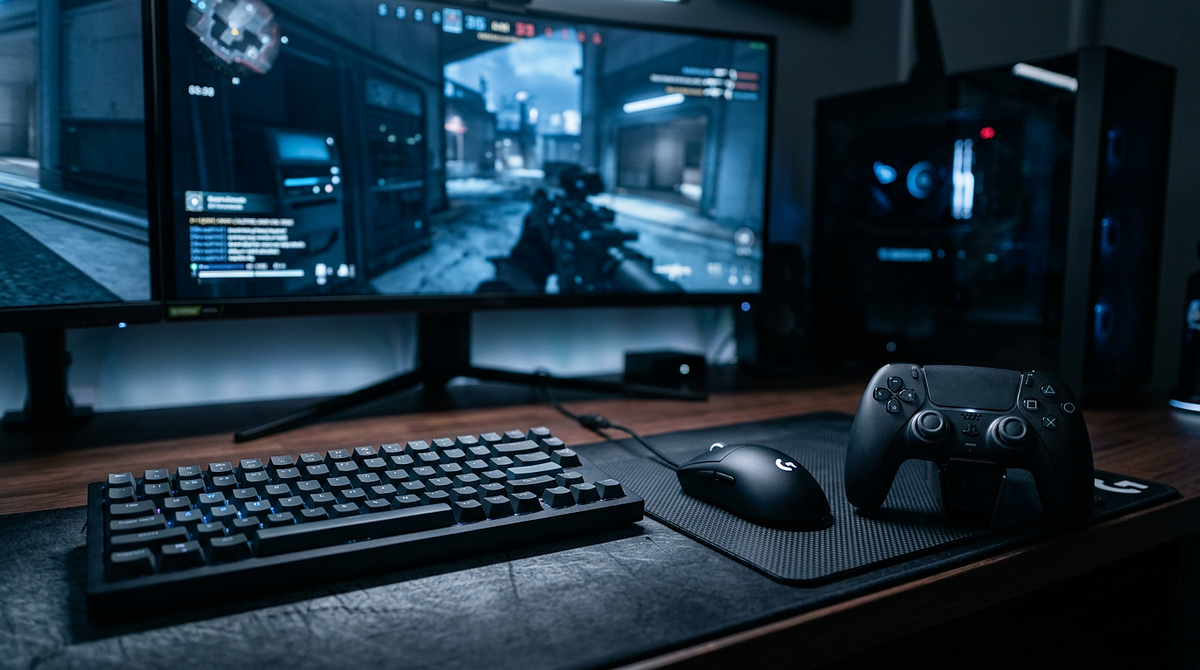
Controller vs keyboard and mouse is one of the most common decisions PC gamers face, and the right choice depends mostly on what you play. This page covers how each input method performs across different game genres, how technical factors like aim assist and DPI affect your experience, and how to use both. By the end, you’ll have enough information to pick the input method that fits your games and goals.
Controller vs Keyboard and Mouse: Choosing the Right Gaming Input for Your Play Style
Technical Differences That Define Performance
Each input method has real, measurable characteristics that explain why certain games naturally favor one over the other. These aren’t just personal preferences. They’re performance differences that directly affect how you play.
Mouse Precision and Direct Input Translation
The mouse gives you unmatched aiming accuracy through direct 1:1 movement. Move your mouse two inches across a mousepad and your crosshair moves a proportional distance on screen with zero input lag. That kind of pixel-perfect accuracy is something analog sticks simply can’t match. In competitive games where headshot accuracy decides matches, that gap matters.
Pro FPS players take advantage of this with adjustable DPI settings, typically between 400 and 1600, which lets them pull off rapid 180-degree flick shots and tiny micro-adjustments for precise targeting. A mousepad also gives you a much larger surface area to work with than a thumbstick, so you’re not hitting a physical limit mid-fight. That makes mouse users better at tracking targets over extended firefights.
Keyboard Input Density and Customization
A keyboard gives you 104 or more individual keys compared to a controller’s 12 to 16 buttons. That extra input space lets you set up complex keybinds for games with a lot of abilities. MMORPGs like World of Warcraft or strategy games like StarCraft II can map dozens of abilities, unit groups, and commands to individual keys without needing modifier keys or nested menus that slow you down. If you’re new to PC gaming and want to understand how mechanical keyboards work and which switch types suit different playstyles, that knowledge can help you choose the right hardware before committing to keyboard and mouse.
Keyboard inputs are also binary, meaning they’re either pressed or not, which gives you instant, consistent response for movement in competitive games. WASD movement in tactical shooters lets you counter-strafe and move in ways that analog sticks can’t replicate with the same speed and consistency. Many gaming keyboards also support programmable macros that run complex command sequences with a single keypress, which helps with repetitive actions in crafting systems or build orders.
Controller Analog Input and Ergonomic Benefits
Controllers shine with pressure-sensitive analog sticks and triggers that give you fine control over movement speed and acceleration. In racing games, analog triggers let you modulate throttle and brake pressure in ways binary keyboard keys can’t. You can apply 30% brake pressure through a corner instead of the keyboard’s all-or-nothing input, which means smoother cornering and better vehicle control.
That analog advantage carries over to character movement in third-person action games, where walking, jogging, and sprinting flow naturally based on how far you push the stick. Modern controllers are also ergonomically designed to spread input across both hands evenly, which reduces hand fatigue during long sessions. Keyboard and mouse setups concentrate repetitive motion in the mouse hand, which can add up over time.
How Aim Assist Changes the Competitive Picture
Most console and cross-platform games include aim assist for controller users. It’s a software feature that slightly slows your crosshair when it passes over an enemy and gives minor tracking help. It exists because analog stick aiming can’t match mouse precision on its own. In games like Call of Duty or Apex Legends, aim assist narrows the gap, but it doesn’t close it completely.
How strong aim assist is varies a lot by game. Some titles give aggressive tracking help, others barely touch it. That’s worth understanding when you’re weighing controller vs keyboard and mouse for competitive FPS games. Aim assist helps controller players stay competitive, but top players in games like Valorant and Counter-Strike still use mouse and keyboard because raw precision beats assisted aiming at the highest skill levels.
Game Genre Breakdown: Which Input Method Wins Where
Different genres test different skills, so the best input method really depends on what you’re playing. Here’s a breakdown of how each input performs across the most common game types.
First-Person Shooters: Mouse and Keyboard Territory
Competitive FPS games strongly favor mouse and keyboard because of how much they demand from your aim. Games like Valorant, Counter-Strike 2, and Rainbow Six Siege require pixel-perfect crosshair placement and instant flick shots that a mouse handles naturally. You can also bind grenades, abilities, and weapon switches to individual keys, which keeps complex tactical gameplay clean and fast.
That said, casual FPS titles with strong aim assist, like Call of Duty Warzone, Halo Infinite, and Apex Legends, let controller players stay competitive, especially at medium ranges where tracking matters more than flick accuracy. If you’re playing single-player FPS campaigns like Far Cry 6 or Cyberpunk 2077, controller comfort might outweigh the precision advantage since you’re not going up against other players.
Racing and Driving Games: Controller Dominance
Racing simulators and arcade driving games almost always play better with analog trigger and stick input. Forza Motorsport, Gran Turismo 7, and F1 2024 need smooth throttle modulation, gradual steering, and precise brake pressure that binary keyboard inputs can’t provide. Even arcade racers like Need for Speed and Rocket League feel noticeably better with analog control, since drifting and aerial moves require variable input pressure.
The one exception is hardcore sim racers who invest in a dedicated steering wheel and pedal setup, which beats both controllers and keyboards. For most players, a controller gives you the best balance of precision and accessibility for any driving game.
Action RPGs and Third-Person Adventures: Context Matters
This genre splits depending on how complex the combat is and how much camera control matters. Dark Souls, Elden Ring, and Monster Hunter put a lot of weight on dodge timing, stamina management, and analog movement, so most players prefer a controller. Being able to walk slowly while managing the camera with the right stick feels more natural than WASD in these exploration-heavy games.
On the other hand, action RPGs with heavy ranged combat, like Diablo 4, Path of Exile, and Grim Dawn, benefit from mouse precision when you’re targeting specific enemies in chaotic fights and quickly navigating inventory screens. Third-person shooters like The Division 2 and Remnant II fall into similar territory, where a controller gives you movement comfort but a mouse gives you better aim.
Strategy and MOBA Games: Keyboard and Mouse Required
Real-time strategy games, MOBAs, and tactical games need fast unit selection, precise clicking, and heavy hotkey use that controllers just can’t handle. StarCraft II, League of Legends, Dota 2, and XCOM 2 were all built around mouse and keyboard, with interfaces designed for cursor-based selection and keyboard shortcuts for unit groups, abilities, and building commands.
Some turn-based strategy games like Civilization VI do support controllers, but the experience feels clunky compared to mouse navigation. The sheer number of commands and UI elements in strategy games makes keyboard and mouse the only practical option for competitive or efficient play.
Fighting Games and Platformers: Controller Advantage
Fighting games like Street Fighter 6, Tekken 8, and Mortal Kombat 1 rely on precise directional inputs and button combinations that controllers handle better than keyboards. The D-pad or analog stick gives you smoother quarter-circle and half-circle motions for special moves, while keyboard directional keys feel stiff and imprecise for complex combos.
2D platformers like Celeste, Hollow Knight, and the Ori series also benefit from analog movement and ergonomic button layouts. The precision needed for tight platforming sections feels more natural with controller thumbsticks than WASD, especially during sections that require variable jump heights or momentum control.
Building Muscle Memory When Switching Input Methods
Switching from controller to keyboard and mouse, or the other way around, takes deliberate practice and realistic expectations. Knowing what the learning curve actually looks like helps you get through it without giving up too early.
Building basic proficiency with a new input method usually takes 20 to 40 hours of focused gameplay. Getting to the point where it feels as comfortable as your original input takes 80 to 120 hours. The timeline varies by genre. FPS players switching to mouse and keyboard often see faster improvement in aim precision within 15 to 25 hours, but struggle longer with movement coordination. Controller transitions take longer to develop smooth analog stick control for camera management.
The first 10 hours feel awkward as your brain rewires its motor patterns, but improvement picks up after that breaking-in period. Setting realistic expectations matters, because most players who quit during a transition do so within the first 15 hours, right before muscle memory starts to stick.
Effective Practice Strategies
Start your transition with low-pressure single-player games that match your target genre before jumping into competitive multiplayer. For keyboard and mouse practice, single-player FPS campaigns like Titanfall 2 or Doom Eternal let you work on your aim without ranked pressure. For controller practice, start with slower-paced third-person games like Assassin’s Creed before moving to fast-paced action titles.
Stick to 30 to 60 minute focused practice sessions rather than marathon gaming sessions. Shorter, concentrated practice builds muscle memory more effectively than fatigued 4-hour sessions where bad habits form. For mouse practice, use aim trainers like Aim Lab or Kovaak’s, focusing on tracking and flick-shot scenarios for 15 to 20 minutes before your gaming sessions to speed up improvement.
Optimizing Settings for Consistency
For mouse users, start with a moderate sensitivity around 800 DPI with 1.5 to 2.5 in-game sensitivity for FPS games, and resist the urge to keep adjusting it. Consistency builds muscle memory, while changing sensitivity every few days resets your progress. Most professional players use lower sensitivities between 400 and 800 DPI for precision, which requires larger mouse movements but gives you finer aim control. Choosing the right surface for your mouse also plays a role here — understanding the difference between speed and control mousepads can help you find a surface that matches your sensitivity settings and aiming style.
For keyboard users, rebind awkward default keys right away. Common improvements include moving crouch from Ctrl to C or a mouse side button, binding melee to a thumb mouse button, and putting all critical abilities on easy-to-reach keys like Q, E, R, F, and mouse buttons. Don’t stretch your pinky to distant keys during combat. If a keybind feels uncomfortable, change it before muscle memory locks in around an inefficient pattern.
Maintaining a Hybrid Setup for Maximum Flexibility
A lot of experienced PC gamers stay comfortable with both input methods and switch based on the game or situation. To make that work, keep both peripherals within reach of your setup so you can switch mid-session without disrupting your flow.
Games like Grand Theft Auto V, Red Dead Redemption 2, and Microsoft Flight Simulator are good examples of where mid-gameplay switching pays off. Use mouse and keyboard for shooting segments, then grab the controller for driving or flying. Modern games detect input changes instantly and swap UI prompts and control schemes without needing you to go into a menu or restart.
PC gaming gives you the flexibility to pick the right tool for each session instead of committing to one input method across everything. Investing in quality peripherals for both options gives you the freedom to choose based on what each game needs and what feels best to you. If you want to make sure your keyboard and mouse are positioned correctly for long sessions, following an ergonomic keyboard and mouse setup guide can help you avoid strain and get the most out of your hardware. That balanced approach gets you better performance and more enjoyment across your whole library.
Making Your Input Decision Based on Gaming Priorities
The right setup depends on which games you play most and whether you care more about competitive performance or comfort. Competitive FPS and strategy players get real advantages from keyboard and mouse, while racing fans and action RPG players benefit more from a controller. Most well-rounded PC gamers end up with both, switching based on genre rather than forcing one input method across everything. Start with whatever matches your most-played games, then gradually build skill with the other option for games where it clearly helps.
Frequently Asked Questions About Gaming Input Methods
Which input method do professional gamers prefer for competitive play?
Professional players use keyboard and mouse for competitive FPS, MOBA, and strategy games because of the precision advantage. Fighting game and racing professionals prefer controllers or specialized peripherals like arcade sticks and racing wheels. It comes down to the genre.
Can I use both controller and keyboard and mouse during the same gaming session?
Yes, most modern PC games support seamless input switching. You can use keyboard and mouse for shooting segments in GTA V, then pick up your controller for driving without going into any menus or restarting the game. The interface automatically adapts to whichever input you’re using.
Does using a controller on PC put me at a disadvantage in cross-platform games?
In competitive FPS games with cross-play, controller users face a precision disadvantage against mouse players even with aim assist, though the gap narrows in casual modes. For racing games and action RPGs, controllers often give you an edge over keyboard players because of the analog input benefits.
How do I know if a PC game has good controller support?
Check the Steam store page for the “Full Controller Support” label, read recent user reviews that mention controller experience, and check whether UI elements show controller button prompts during gameplay rather than keyboard keys. Games with poor controller support often show keyboard prompts even when you’re using a controller.
Should I buy expensive gaming peripherals or start with budget options?
Start with mid-range options, around $40 to $60 for a mouse and $60 to $80 for a keyboard, to see if you actually enjoy keyboard and mouse gaming before spending more. Expensive gear won’t make up for lack of practice, but decent quality basics improve the learning experience and hold up better over time.
Can I improve my aim with a controller to match mouse precision?
Controller aim will never replicate mouse precision at a mechanical level. That gap is built into how each input works. But skilled controller players close the competitive distance through game sense, positioning, and movement, especially in titles with strong aim assist. If you’re serious about improving your controller play, digging into the right settings and aim assist options is the smartest place to start.