
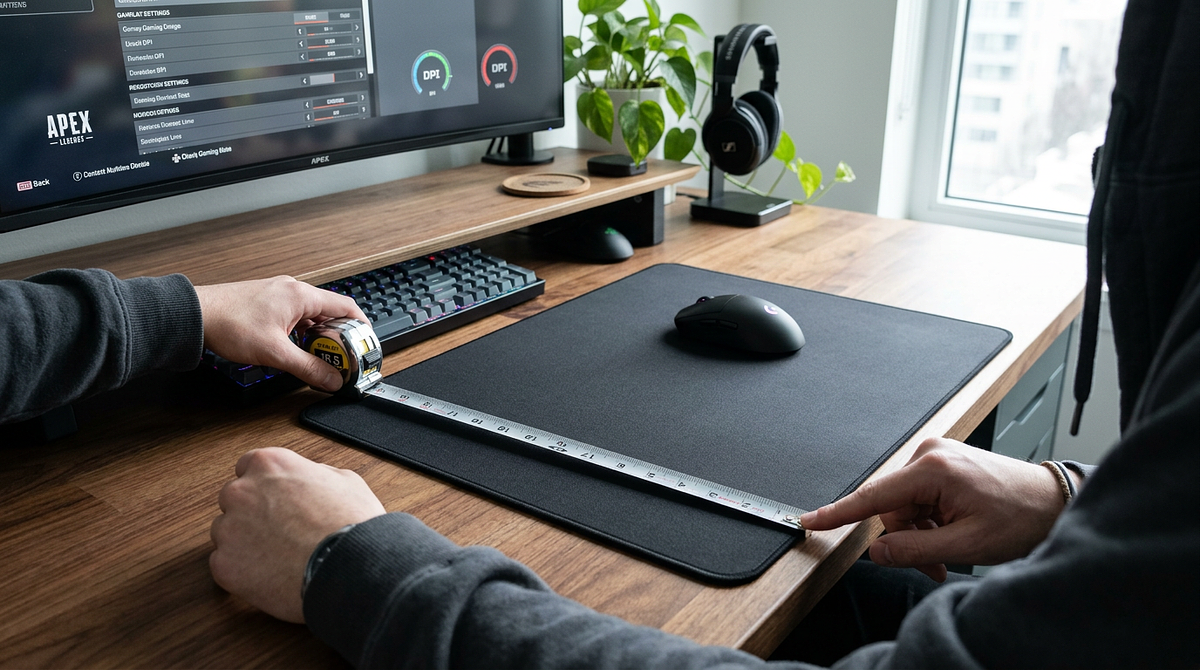
The size of your mouse pad directly affects how accurately and comfortably you can play. Get it wrong and you’ll be fighting your setup no matter how good your other gear is. This guide covers the main size categories with exact measurements, explains how your DPI settings affect how much pad space you actually need, and shows you how to measure your desk to find what fits. By the end, you’ll know exactly which pad size makes sense for your setup and play style.
Standard Gaming Mouse Pad Size Categories and Dimensions
Mouse pad makers use consistent size tiers based on how much desk space you have and how much mouse movement different gaming styles need. These standard categories make it easy to compare products across brands and figure out which dimensions work for your setup.
| Size Category | Dimensions (mm) | Dimensions (inches) | Typical Use Case |
|---|---|---|---|
| Small | 250×210mm | 9.8×8.3″ | High DPI, compact desks, portable setups |
| Medium | 320×270mm | 12.6×10.6″ | MOBA/RTS gaming, moderate DPI, office desks |
| Large | 450×400mm | 17.7×15.7″ | FPS gaming, low DPI, competitive play |
| XL | 900×400mm | 35.4×15.7″ | Professional FPS, ultra-low DPI, arm aiming |
| Extended/Desk Mat | 900×450mm | 35.4×17.7″ | Full keyboard + mouse coverage, aesthetic unity |
Small and Medium Pads: When Desk Space Dictates Size
Small and medium pads are a good fit when you’re working with limited space, like a compact desk, a laptop setup, or a shared workspace where you can’t dedicate much surface area to gaming. They also work well for high-DPI users who don’t need much mouse travel to move the cursor or rotate the camera.
- Office desk gaming where you share space with work materials and documents
- Portable LAN party setups where you need to pack light and set up quickly
- MOBA and RTS genres played at 1600-3200 DPI with high sensitivity settings
- Laptop gaming configurations with limited surface area around the keyboard
These smaller sizes don’t cut it for low-DPI FPS players who need wide horizontal swipes for 180-degree turns and tracking moving targets. If you play competitive shooters at 400-800 DPI, you’ll run out of pad constantly and end up lifting your mouse mid-aim.
Large and XL Pads: The FPS Standard
Large and XL pads are the go-to for competitive gaming because they give you enough room for the low-DPI precision aiming that FPS games demand. Professional players in games like Counter-Strike, Valorant, and Apex Legends almost universally use these sizes to support arm-aiming technique.
- Accommodates complete 360-degree turns at 400-800 DPI without lifting the mouse
- Prevents mouse-off-pad interruptions during critical tracking and flick shots
- Supports full arm-aiming technique rather than restrictive wrist movements
- Provides consistent surface texture across your entire aiming range
- Allows lower sensitivity settings that improve fine motor control and reduce overshoot
Esports pros across major FPS titles mostly use large or XL formats because the extra surface area leads to more consistent aim and fewer mechanical errors when it matters most.
Extended Desk Mats: Full Setup Coverage
Extended desk mats at 900×400mm or larger cover both your keyboard and mouse zones, creating one unified surface that removes the texture change between your desk and a smaller pad. This format is about aesthetic consistency and desk protection as much as it is about gaming.
- Eliminates surface inconsistency between keyboard and mouse areas that can affect hand positioning
- Protects desk finish from scratches, spills, and wear from daily gaming sessions
- Creates visual unity across your entire gaming setup with coordinated colors or designs
- Provides ample space for both low-DPI gaming and keyboard placement without compromise
Extended mats need at least 36 inches of horizontal desk space to fit both the mat and any monitor stands or other peripherals. Measure your desk width before buying one so you don’t end up with overhang or gear getting in the way. If you’re weighing whether a full desk mat is the right choice over a standard mouse pad, comparing desk mats and mouse pads side by side can help you decide which format fits your workspace better.
Matching Mouse Pad Size to DPI and Sensitivity Settings
Lower DPI means more physical mouse movement to get the same cursor or camera rotation, which directly affects how much pad space you need. Understanding this relationship lets you figure out your actual space requirements instead of guessing.
DPI and Sensitivity: The Physical Movement Equation
DPI (dots per inch) controls how much the cursor or camera moves per inch of physical mouse travel. Lower DPI gives you finer control for precision aiming, but you need more surface area to complete full rotations without lifting your mouse.
| DPI Range | 360° Turn Distance | Minimum Pad Width | Ideal Size Category |
|---|---|---|---|
| 400-800 (Low) | 12-18 inches | 450mm+ | Large/XL |
| 800-1600 (Medium) | 6-12 inches | 320mm+ | Medium/Large |
| 1600-3200 (High) | 3-6 inches | 250mm+ | Small/Medium |
| 3200+ (Very High) | Under 3 inches | 210mm+ | Small |
FPS Games: Low DPI Demands Large Surface Area
Competitive FPS players in games like CS:GO, Valorant, and Apex Legends typically run 400-800 DPI for precision aiming. That means a lot of horizontal mouse travel for tracking targets and pulling off flick shots. Low sensitivity gives you better fine motor control, but you need the pad space to match.
- Minimum 450mm (large) pad width for casual FPS play at 800 DPI
- 900mm (XL/extended) width recommended for competitive play at 400-600 DPI
- Focus on horizontal width over vertical height since FPS aiming is mostly left-right tracking
- Budget extra space beyond minimum calculations to avoid edge-of-pad anxiety during intense matches
A Valorant player at 400 DPI needs roughly 15 inches of horizontal space for a 180-degree flick shot at typical in-game sensitivity. That’s only possible on a large or XL pad with uninterrupted surface area.
MOBA and RTS Games: High DPI Enables Smaller Pads
MOBA and RTS games like League of Legends, Dota 2, and StarCraft II work best at higher DPI settings (1600-3200+) because you need to move the cursor quickly across the screen during team fights and micro-management. That high sensitivity means you don’t need nearly as much physical space.
- Medium (320mm) pads provide sufficient space for most MOBA and RTS players
- Small pads remain viable for very high DPI users (3200+) who want minimal hand movement
- Vertical space matters less than in FPS since cursor movement is omnidirectional rather than horizontal-focused
- High DPI reduces physical fatigue during long sessions by cutting down on repetitive arm movements
MMO and General Gaming: Flexibility Across DPI Ranges
MMO players use a wide range of DPI settings depending on the game’s combat system. Action-oriented MMOs need FPS-style precision, while tab-target games work fine at higher sensitivities. That variety means size requirements are more flexible.
- Medium to large pads (320-450mm) offer versatility for players who switch between game genres
- Action MMOs like Final Fantasy XIV and Elder Scrolls Online benefit from FPS-style large pads for camera control
- Tab-target MMOs like World of Warcraft work well with medium pads paired with moderate DPI
- When you’re not sure about your primary genre, go with large (450mm) for multi-genre compatibility
Measuring Your Desk Space for Maximum Pad Size
Your available desk space, once you account for your keyboard, monitor stand, and other peripherals, sets the upper limit on pad size regardless of your DPI preferences. Measuring your actual usable mouse zone before you buy prevents you from ending up with a pad that overhangs your desk or gets in the way of other gear.
Step-by-Step Desk Measurement Process
- Clear your desk of everything except your monitor and keyboard to get a clean baseline of your gaming space.
- Measure your total desk width in centimeters or inches from edge to edge using a tape measure or ruler.
- Place your keyboard in its normal gaming position and measure the remaining horizontal space to the right (for right-handed users) or left (for left-handed users) of the keyboard.
- Measure the depth (front to back) of your usable mouse zone, accounting for your monitor stand base and any desk-mounted accessories like microphone arms or USB hubs.
- Subtract 2-3 inches (5-7cm) from both measurements to give yourself clearance and keep the pad from overhanging or interfering with keyboard movement during intense sessions.
- Compare your final dimensions to the size category table above to find your maximum compatible pad size.
Common Desk Dimensions and Compatible Pad Sizes
Standard desks come in common widths, so knowing your desk size gives you a good starting point for pad size without needing to measure everything manually. The reference points below assume you’re using a standard full-size keyboard, which is about 440mm wide.
| Desk Width | Desk Depth (typical) | Maximum Pad Size | Recommended Category |
|---|---|---|---|
| 60cm (24″) | 50cm (20″) | 320×270mm | Medium |
| 100cm (39″) | 60cm (24″) | 450×400mm | Large |
| 120cm (47″) | 70cm (28″) | 900×400mm | XL |
| 150cm+ (59″+) | 75cm+ (30″+) | 900×450mm | Extended |
How Mouse Pad Material Affects Size Selection
Cloth and hard-surface pads behave differently at larger sizes because of how each material holds up at the edges and stays consistent across the surface. Knowing the difference helps you pick the right material for the size you’re going with.
Cloth pad considerations at larger sizes:
- Edges fray faster on XL and extended sizes without stitched borders because your arm contacts the edges more during wide mouse movements
- Surface texture can become uneven across very large areas if the weave quality isn’t consistent throughout
- Washing large cloth pads requires specific care to prevent warping or texture damage from machine agitation
- Stitched edge construction becomes important for durability beyond 450mm width
Hard pad considerations at larger sizes:
- Maintain tracking consistency across all sizes due to a rigid surface that doesn’t compress or wear unevenly
- Less prone to edge wear since hard materials don’t fray or separate like cloth weaves
- Lack cushioning for wrist contact on extended formats, which may cause discomfort during long sessions
- Better suited for users who want durability and consistent glide over the softer feel of cloth
If you’re going with an XL or extended cloth pad, make sure the product has stitched edge construction to prevent early fraying. For a deeper look at how these two surface types compare across speed, control, and long-term durability, reading through the hard vs soft mouse pad breakdown will help you make the right call. Hard pads are a solid choice if long-term durability matters more to you than the cushioned feel of cloth.
Selecting Your Gaming Mouse Pad Size Based on Your Setup
Your ideal pad size comes down to three things: your DPI sets the minimum width you need, your desk sets the maximum size you can fit, and your primary game genre shapes whether you need to focus on horizontal space or can get by with something more compact. Measure your desk first, then cross-reference your typical DPI range against the table above to find the largest size that fits within your constraints. For detailed mouse pad material comparisons and surface texture guides, check out additional peripheral resources.
Frequently Asked Questions
What size mouse pad do professional gamers and esports players typically use?
Professional FPS players mostly use large (450mm) or XL (900mm) pads to support the low DPI settings (400-800 DPI) they need for precision aiming. MOBA and RTS pros often go with medium (320mm) pads paired with higher DPI (1600-3200) for fast cursor movement.
If I’m upgrading from a small to large mouse pad, what should I expect during the adjustment period?
Give yourself 1-2 weeks to recalibrate your muscle memory for wider arm movements and lower effective sensitivity. Practice tracking drills and gradually lower your in-game sensitivity to take full advantage of the extra surface area.
Can I use an extended desk mat if my desk is only 100cm wide?
An extended mat (900mm wide) needs roughly 36 inches (91cm) of horizontal space plus room for your keyboard, so it won’t fit on a 100cm desk with a full-size keyboard. Go with a large (450mm) pad instead to keep enough clearance for the keyboard.
Does mouse pad thickness affect what size I should choose?
Thickness (2mm vs. 4mm vs. 6mm) affects wrist comfort but not size selection. Choose thickness based on whether you want your wrist closer to the desk surface (thin) or prefer more cushioning (thick). Size should still be based on your DPI and desk space.
How do I know if I need stitched edges on a large or XL mouse pad?
Stitched edges stop cloth pads from fraying on sizes larger than 450mm, where your arm contacts the edges more during wide movements. If you’re buying an XL (900mm) or extended cloth pad, stitched edges are worth it for durability beyond 6-12 months of regular use.
What’s the minimum mouse pad size for competitive FPS gaming?
At low DPI settings (400-800), a large pad (450mm) is the practical floor for competitive play. It gives you enough room for 180-degree turns without lifting your mouse. That said, if you want full rotational freedom, most pros land on an XL (900mm). If you want to understand how surface friction affects your aiming style before committing to a pad, learning the difference between speed and control mousepads can help you find the right fit faster.