
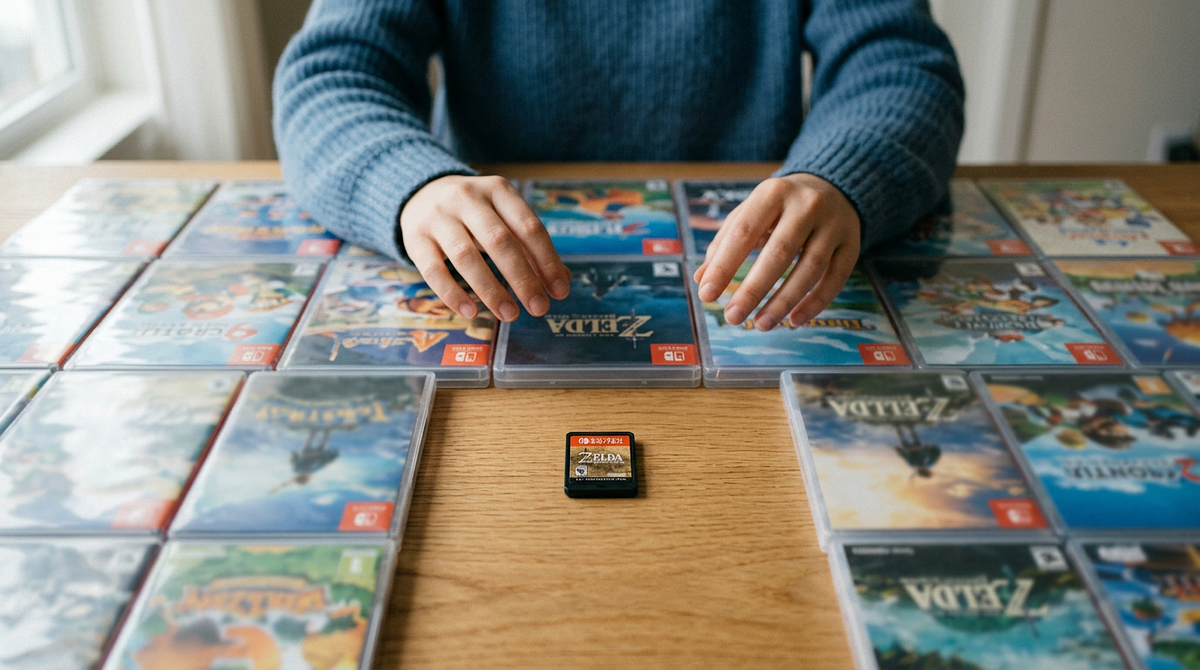
Knowing how to choose your next game can save you from spending more time deciding what to play than actually playing. This page covers practical methods for picking a game based on your mood, available time, and the size of your backlog, across all platforms and formats. You’ll come away with a clear approach you can use right away to make a confident choice and get playing faster.
This guide walks through several decision-making frameworks for choosing your next game based on context, mood, time, and backlog size. You’ll find methods that work for different situations, from quick 30-minute sessions to weekend-long campaigns, plus practical tools that make the whole process easier.
The Context-Based Decision Framework
The most effective way to choose your next game is to start with your current situation, not by scrolling through your entire library. This framework filters your options based on three things: how much time you have, how mentally sharp you’re feeling, and whether you’re playing solo or with others. Nailing down these three factors upfront cuts out 70-80% of your options immediately, leaving only games that actually fit your situation.
Match Games to Your Available Time
Time is the first filter you should apply to any game selection decision. Different games ask for very different time commitments, and picking the wrong one leads to frustration or quitting halfway through.
Quick Session Games (30 minutes or less):
- Roguelikes and roguelites with run-based progression
- Puzzle games with discrete level structures
- Fighting games or competitive multiplayer matches
- Card games with 10-15 minute rounds
- Mobile games designed for short bursts
Medium Session Games (1-3 hours):
- Story-driven games with chapter-based structure
- Strategy games with save-anywhere functionality
- Sandbox games with flexible objectives
- Co-op games with mission-based progression
- Board games with moderate setup and play time
Long Session Games (3+ hours):
- Open-world RPGs with complex systems
- Grand strategy games requiring sustained focus
- Campaign-based tabletop RPGs
- MMORPGs with raid or dungeon commitments
- Complex board games with extensive setup
Look at your calendar and figure out what your gaming windows actually look like for the week. If you have three 45-minute slots and one 4-hour block on the weekend, you need both quick-session and long-session games in your rotation. If you find yourself consistently short on time, it helps to know which game genres are best suited to short play sessions so you can build your shortlist around formats that actually fit your schedule.
Assess Your Mental Energy Level
Your mental energy level determines which games you’ll actually enjoy versus which ones will feel like a chore. It’s easy to overlook this, but it makes a big difference in how much fun you have.
Low Mental Energy (Post-Work, Tired, Stressed):
- Games with minimal decision-making or consequences
- Familiar mechanics requiring little learning
- Relaxing exploration or creative sandbox games
- Repetitive action games with clear objectives
- Comfort games you’ve played before
Medium Mental Energy (Relaxed, Alert, Moderate Focus):
- Story-driven games with moderate complexity
- Turn-based strategy with time to think
- Cooperative multiplayer with friends
- Games introducing new mechanics gradually
- Puzzle games with progressive difficulty
High Mental Energy (Focused, Motivated, Peak Performance):
- Complex strategy games requiring planning
- Competitive multiplayer demanding skill
- Challenging action games with precise timing
- Dense RPGs with intricate systems
- New games requiring significant learning investment
Pay attention to your energy patterns throughout the week. Most people have 2-3 high-energy gaming windows per week. Save demanding new games for those times, and keep some low-effort options around for winding down at the end of the day.
Consider Your Social Gaming Context
Whether you’re playing solo or with others changes everything about which games make sense. Figure this out before you start looking at specific titles.
Solo Gaming Priorities:
- Single-player campaigns with strong narratives
- Games requiring sustained attention and immersion
- Titles you can pause and resume freely
- Experiences that don’t require coordination
- Backlog games you’ve been meaning to finish
Group Gaming Priorities:
- Cooperative games supporting your group size
- Competitive multiplayer with skill-appropriate matching
- Party games accessible to all skill levels
- Games with flexible drop-in/drop-out support
- Titles that get people talking and interacting
Before you open your library, answer three questions: How much time do I have? What’s my energy level? Am I playing alone or with others? Those answers will cut your options down to something manageable right away.
Systematic Backlog Management Methods
A big backlog needs some structure, or you’ll spend more time staring at it than playing anything. These methods give you different ways to approach your backlog depending on what matters most to you, whether that’s variety, making a dent in old purchases, or just playing something you’ll enjoy right now.
The Rotation System for Genre Variety
The rotation system keeps you from burning out on one genre by forcing you to mix things up. It works well if you tend to play three action games in a row and then wonder why you’re bored, or if you want to actually experience the range of games in your library.
Implementation Steps:
- Categorize your backlog into 4-6 genre buckets (action, RPG, strategy, puzzle, narrative, multiplayer). Assign each game in your library to exactly one category based on its primary gameplay focus.
- Set a rotation rule: after finishing or stopping a game in one category, your next game has to come from a different category. This stops you from playing three action games back to back and keeps things varied.
- Create a shortlist within each category of 3-5 games you’re most interested in. When it’s time to pick from a category, choose from that shortlist only, not your entire backlog.
- Track your rotation in a simple spreadsheet or note: write down the category and title of your last 5-10 games so you can see whether you’re actually rotating through everything.
The rotation system works best for players with diverse libraries who want variety over deep genre specialization. It naturally prevents burnout and makes sure you’re playing different types of games on a regular basis. If you’re unsure how to categorize some of your library, a solid overview of what defines an RPG and its subgenres can help you place those titles correctly in your rotation.
The Acquisition Date Method
This method is straightforward: play your oldest purchases first, and stop your backlog from growing forever. It’s especially useful if you buy games on sale and then completely forget about them.
How to Implement:
- Sort your library by purchase or acquisition date using your platform’s built-in features. Steam, GOG, and console libraries all support this. Find the games you’ve owned for a year or more that you’ve never touched.
- Commit to playing the oldest unplayed game in your library before buying anything new. This creates real accountability and stops you from piling on games you’ll never get to.
- Set a completion threshold before you start: decide what “finished” means for you. That might be seeing the credits, hitting 10 hours, finishing the main story, or simply feeling done. Once you hit that point, move to the next oldest game.
- Allow strategic skips: if an older game genuinely doesn’t interest you anymore, skip it, but write down why. If you skip the same game three times, remove it from your backlog entirely. You’re not going to play it.
This method works best for players who feel guilty about their backlog size and want a clear, objective system that removes the need to make a new decision every time. The choice is already made for you.
The Mood-Matching Quick Filter
When you want to play something right now but have no idea what, this filter helps you make a fast decision based on how you’re feeling in the moment rather than any kind of long-term planning.
Quick Decision Process:
- Describe your current mood in one word: relaxed, energized, creative, competitive, social, contemplative, or escapist. Don’t overthink it. Go with your gut.
- Apply that mood to your shortlist: keep only games that fit. A “relaxed” mood rules out competitive multiplayer and tough action games. An “energized” mood rules out slow-paced narrative experiences.
- Use the “three-game test”: from your filtered list, pick three games at random. Spend 30 seconds imagining yourself playing each one right now. Whichever one feels best, play that one.
- Start playing within 5 minutes. The whole point is to decide quickly. If you’re still going back and forth after 5 minutes, you’re overthinking it. Just pick the first game on your filtered list and commit to 30 minutes.
This method is about immediate enjoyment, not systematic backlog progress. It’s great for players with limited gaming time who want to get the most out of each session rather than optimize their completion rate.
The Completion-Focused Approach
If you get more satisfaction from finishing games than from sampling a bunch of them, this method is for you. It keeps you from being a “perpetual starter” who never actually sees a game through.
Completion Strategy:
- Limit yourself to 3 active games at most: one primary game (your main focus), one secondary game (for when you need a change of pace), and one casual game (low-commitment, easy to pick up). Don’t start a fourth game until you finish one of these three.
- Define what “finished” means before you start each game. For some games it’s the credits. For others it’s a specific hour count or hitting a certain achievement. Decide this upfront so you’re not moving the goalposts later.
- Use the “10-hour rule”: give any new game at least 10 hours before you walk away. This stops you from quitting too early while still giving you permission to drop games that genuinely aren’t working for you.
- Track your completion stats: keep a simple log of games you’ve finished versus games you’ve started. If your completion rate drops below 60%, you’re starting too many games. Tighten the limit.
This approach works best for players who are frustrated by a pile of half-finished games and want the feeling of actually completing something. You trade breadth for depth, and you get a real sense of accomplishment out of it.
Practical Tools and Resources for Game Selection
The right tools can take a lot of the friction out of choosing a game. They help you organize your library, give you useful data, and handle parts of the decision for you. These resources work alongside the frameworks above to make the whole process smoother.
Library Management and Tracking Tools
HowLongToBeat Integration: This site shows you average completion times for the main story, completionist runs, and everything in between. It helps you match games to your available time windows and lets you filter your backlog by how long a game takes. It’s especially useful when you’re applying the time-based context framework.
Steam Library Managers: Tools like Depressurizer or Steam Category Manager let you organize games into custom categories. You can set up categories that match your rotation system (by genre) or your context framework (by time commitment or energy level). They make it easy to filter your library down to only the games that fit your current situation, and some pull in HowLongToBeat data directly into the Steam interface.
Backlog Tracking Apps: Grouvee, Backloggery, and Backloggd are built specifically for tracking games. You can log completion status, play time, and personal ratings, then look at your stats over time to spot patterns. They also have social features so you can see what friends are playing.
Random Selection Tools: Steam Roulette and similar tools remove the decision entirely. Set your filters (genre, time commitment, rating threshold) and let the tool pick for you. This works well when combined with a commitment to just start playing, and it’s especially good for players who tend to overthink the decision and need something external to break the loop.
Platform-Specific Features for Decision Support
Steam Library Features: Dynamic Collections automatically group games by genre, features, or play status. The “Play Next” shelf surfaces games Steam thinks you’ll enjoy based on your playtime history. You can also filter by controller support, local multiplayer, or other requirements, and sort by user review scores to find well-regarded titles.
PlayStation and Xbox Library Tools: Game Pass recommendations are based on what you’ve been playing recently. “Continue Playing” sections bring up games you’ve started but haven’t finished, while trophy and achievement tracking shows how far you’ve gotten. Wishlist notifications let you know when games you want go on sale or become available.
Board Game Companion Apps: The BoardGameGeek app gives you ratings, complexity scores, and recommended player counts. It helps you match physical games to your group size and experience level, tracks your collection and play history, and suggests games based on mechanics you’ve liked before.
Creating Your Personal Decision Workflow
You can combine these tools into a simple workflow that fits how you actually make decisions. Here’s a practical way to do it:
Weekly Planning Workflow:
- Sunday evening: look at your calendar for the week and figure out your gaming windows (30-minute slots, 2-hour blocks, weekend sessions).
- Assign games to time slots: use HowLongToBeat data to match games to the time you have. Pick specific games for specific days based on how much energy you expect to have.
- Build your shortlist: create a Steam collection or a physical stack of games containing only this week’s picks. Ignore everything else.
- Daily execution: when it’s time to play, choose from your pre-selected shortlist only. No browsing your full library. That decision was already made.
Spontaneous Play Workflow:
- Apply context filters: how much time do you have? What’s your energy level? Are you playing solo or with others? Narrow your library to games that fit all three.
- Use random selection: from the filtered list, let a random picker choose 3 options.
- 30-second gut check: picture yourself playing each option right now. Pick whichever one feels most appealing.
- Commit and launch: start playing within 5 minutes. No second-guessing.
The goal is to take the decision out of the moment when you want to play. Either decide in advance with the planning workflow, or use tools to decide quickly with the spontaneous workflow. Both approaches stop you from staring at your library for 20 minutes every time you sit down to play.
Choosing Games for Group Play and Social Contexts
Playing with a group adds a layer of complexity because you’re juggling multiple people’s preferences, schedules, and skill levels at once. These methods help groups land on something quickly while making sure everyone actually has a good time.
The Structured Group Decision Process
When your group needs to pick what to play next, this step-by-step process gets you to a decision without a drawn-out debate:
- Agree on constraints first: before anyone suggests specific games, lock in the practical stuff, like how long each session will be, how long you want a campaign to run, how often you’re meeting, and any technical requirements like platform compatibility or hardware.
- Individual shortlisting: each person privately picks 2-3 games they’d be happy to play. Doing this privately stops groupthink and makes sure everyone’s preferences actually get heard.
- Cut non-viable options: share your lists and immediately remove anything that doesn’t meet the agreed constraints or that anyone has a strong objection to. One veto is enough to take something off the table.
- Rank what’s left: each person ranks the remaining games from most to least preferred. Average the rankings to find the group’s top choice without it turning into an argument.
This process usually takes 15-30 minutes, but it beats the hours-long back-and-forth that groups often fall into. It works for tabletop RPG campaigns, board game nights, and multiplayer video game sessions.
Matching Games to Group Composition
Different group dynamics call for different types of games. Here’s a quick reference for what works and what to avoid based on your group’s situation:
| Group Factor | Best Game Types | Games to Avoid |
|---|---|---|
| Mixed experience levels | Cooperative games with scalable difficulty, party games with simple rules, asymmetric games where roles differ | Highly competitive games, complex strategy games requiring extensive rules knowledge |
| Consistent attendance | Campaign-based RPGs, persistent multiplayer games, story-driven co-op | Drop-in/drop-out party games, games requiring full group every session |
| Variable attendance | Board games supporting 2-6 players, games with flexible player counts, asynchronous multiplayer | Games requiring exact player counts, tightly balanced competitive games |
| Skill gaps | Cooperative PvE games, team-based games allowing carry, games with handicap systems | Pure PvP games, games where skill gaps create frustration |
| Limited time per session | Games with natural stopping points, mission-based structure, quick rounds | Open-ended sandbox games, games requiring 3+ hour sessions |
The Rotation Host Method for Ongoing Groups
If your group meets regularly and wants variety without negotiating every single session, a rotation host system takes care of it:
- Rotate who picks the game: each session, a different person chooses what the group plays. Over time, everyone gets a turn.
- Set selection guidelines: the host has to pick something that fits the group’s established constraints, like time limits, accessibility requirements, and general genre preferences.
- Everyone commits: the whole group agrees to play the host’s choice for at least one full session before deciding whether to keep going.
- Debrief after each full rotation: once everyone has hosted, talk about which games worked best and whether any of them are worth continuing for multiple sessions.
This method makes sure everyone gets to bring in games they’re excited about, without one person always driving the selection. It works especially well for board game groups and tabletop RPG groups that alternate between campaigns.
Building a Sustainable Game Selection System That Works
The best approach to choosing your next game isn’t one single method. It’s combining a few frameworks based on your situation. Start with the context-based framework for any immediate decision: time available, energy level, and social context will cut out most of your options right away. Then layer in one backlog management method that fits your goals, whether that’s the rotation system for variety, the acquisition date method to work through old purchases, mood-matching for spontaneous sessions, or the completion-focused approach if you want to actually finish things.
The goal isn’t to make a perfect decision every time. It’s to spend less time choosing and more time playing games you’ll enjoy. Pick one framework from this guide, try it for two weeks, and adjust based on what’s actually working for you.
How do I stop buying new games when I already have a huge backlog?
Try the acquisition date method and commit to playing your oldest unplayed game before buying anything new. Or set a simple rule: finish one game before you’re allowed to buy another.
What should I do if I start a game and realize I’m not enjoying it after a few hours?
Use the 10-hour rule: give it 10 hours before you walk away. But if you’ve hit that point and you’re still not enjoying it, stop and move on. Not every game is going to click with you, and that’s fine.
How can I choose games when my mood changes frequently throughout the week?
Keep 3-5 active games going across different genres and energy levels at the same time. Then use the mood-matching quick filter each session to pick whichever one fits how you’re feeling right now.
Should I finish games I’ve already started before beginning new ones?
If your completion rate is below 60%, cap yourself at 3 active games and finish one before starting another. If you’re above 60%, you have more room to be flexible about starting new things.
How do I choose between single-player and multiplayer games when I have time for both?
Go with multiplayer when friends are available, since those windows are time-limited. Save single-player games for solo sessions when you don’t need to coordinate with anyone. If you’re newer to PC gaming and unsure where to start with single-player titles, a beginner’s guide to the best PC games can help you find accessible options that are easy to pick up and put down.
What’s the best way to track which games I’ve completed versus abandoned?
Tools like Grouvee and Backloggery do more than store a list. They turn your gaming history into something you can actually learn from, showing you patterns in what you finish and what you drop. Tracking completion status and playtime honestly is what separates a backlog that keeps growing from one you’re actually making progress on. If you’re ready to take control of your backlog, a dedicated tracking app is a good place to start.