
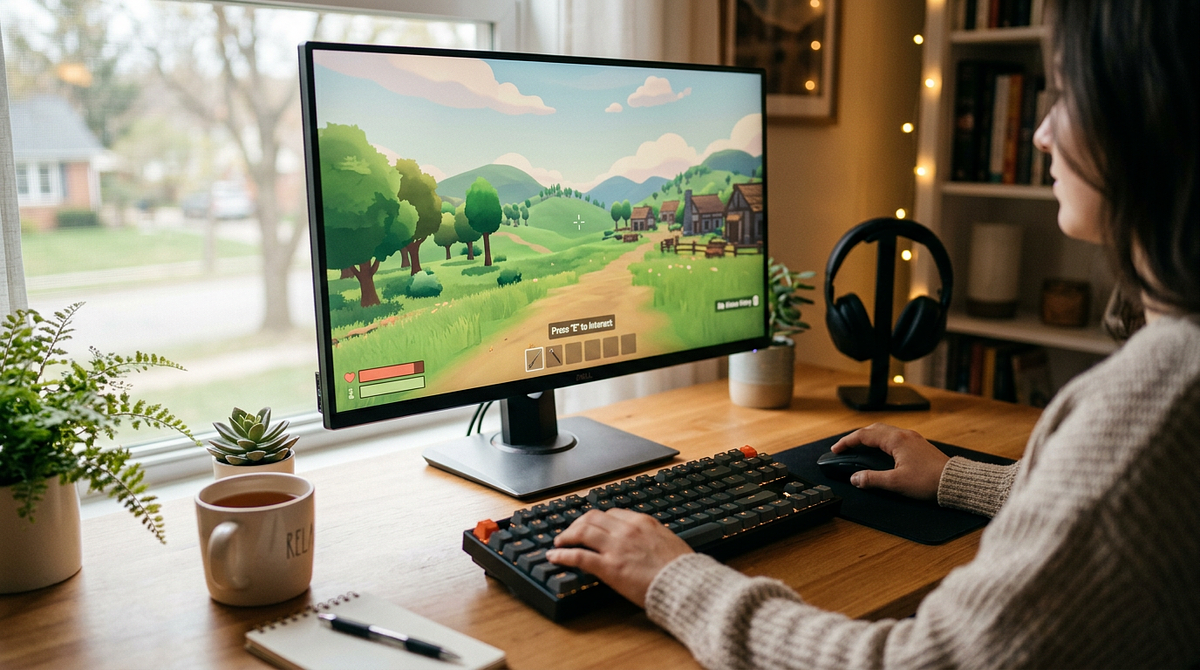
PC games for beginners range from simple and forgiving to surprisingly complex, and knowing where to start makes a real difference. This guide covers beginner-friendly games organized by genre, plus practical advice on setting up your system, navigating Steam, and getting comfortable with keyboard and mouse controls. By the end, you’ll have a clear list of games to try and enough context to pick one that fits your experience level and interests.
What Makes a PC Game Beginner-Friendly
Knowing what separates accessible games from frustrating ones helps you evaluate titles on your own, beyond just this guide’s recommendations. Beginner-friendly games share specific traits that reduce frustration and speed up learning, from control schemes to how they teach you to play.
Control Complexity and Input Requirements
For console players and non-gamers, keyboard and mouse is the biggest hurdle. WASD movement combined with mouse aiming feels awkward at first. Games that ease this transition tend to share a few specific control traits.
- Limited keybinds requiring fewer than 10 frequently used keys
- Forgiving timing windows that don’t punish slow reactions
- Optional controller support for those transitioning from consoles
- Remappable controls for accessibility and personal preference
- On-screen button prompts during gameplay that remind you which keys do what
Firewatch is a good example of clean control design: simple WASD movement and mouse look, nothing more. Compare that to something like Arma 3, which throws dozens of keybinds at you for stances, inventory, and vehicle controls right out of the gate. If you’re unsure whether to start with a controller or stick with keyboard and mouse, our guide to choosing between controller vs keyboard and mouse for gaming breaks down the tradeoffs by genre and playstyle.
Tutorial Quality and Learning Curve
A bad tutorial is one of the fastest ways to lose a new player. When you feel lost or hit with too much information at once, it’s easy to just quit. Good tutorials introduce mechanics one at a time and let you practice each one before moving on.
- Gradual mechanic introduction presenting one concept at a time
- Practice opportunities without failure consequences or progress loss
- Contextual hints that appear when players struggle with specific challenges
- Optional tutorial skipping for experienced gamers who don’t need hand-holding
- In-game reference guides or help menus accessible anytime
Portal is a great example of this done right. It teaches portal mechanics through environmental puzzles that naturally push you to experiment. Games that just dump a list of controls in a text menu don’t give you any chance to build muscle memory through actual practice.
Difficulty Options and Failure Consequences
Harsh failure punishes experimentation and makes beginners afraid to try new things. Games with adjustable difficulty and generous save systems build confidence by letting you learn without losing a ton of progress every time something goes wrong.
- Multiple difficulty presets with clear descriptions of what each changes
- Generous save systems including autosave and multiple save slots
- Minimal progress loss on failure, respawning nearby rather than restarting levels
- Optional assist modes for accessibility that adjust speed, damage, or resources
- Ability to adjust difficulty mid-game without restarting
The Witcher 3’s story difficulty mode tones down combat while keeping the full narrative experience intact. Dark Souls, on the other hand, uses failure as a core mechanic by design. That makes it a poor starting point for beginners, regardless of how popular it is.
Time Investment and Session Flexibility
Adult beginners with limited time need games that work around their schedules, not the other way around. The best games for this let you make real progress in a short session without penalizing you for stopping early.
- Natural stopping points every 15-30 minutes with clear progress markers
- Pause-anywhere functionality in single-player games
- Quick match options in multiplayer games lasting 10-15 minutes
- No mandatory grinding or time-gated progression that forces daily logins
- Clear progress indicators showing completion percentage and remaining content
Stardew Valley handles this well with daily in-game cycles that give you a natural place to stop. MMORPGs tend to be the opposite, often requiring hours-long raid commitments that don’t work for someone just testing the waters with PC gaming. For a broader look at which genres naturally fit shorter sessions, see our breakdown of the best game genres for short play sessions.
Best PC Games for Beginners by Genre
Organizing recommendations by genre makes it easier to find games that actually match your interests, rather than grinding through titles that don’t click. Each genre below includes specific games with a clear explanation of what makes them beginner-friendly and what skills they help you build.
Narrative Adventure Games (Walking Simulators)
Story-focused games with minimal mechanical complexity are perfect entry points. They teach you basic PC navigation without any combat pressure or failure states. The focus is on exploration and environmental storytelling, not reflexes.
- Firewatch (Steam, $19.99) – An exploration-focused mystery set in the Wyoming wilderness. Simple WASD movement and mouse look, no combat, no failure states. It teaches basic PC navigation while telling an engaging story about isolation and human connection.
- What Remains of Edith Finch (Steam, $19.99) – An interactive story made up of short vignettes, each introducing one simple mechanic at a time. It’s perfect for learning mouse interaction without any pressure, wrapped in a beautifully crafted family history.
- Gone Home (Steam, $14.99) – Environmental storytelling through object examination in an empty house. It teaches thorough exploration and attention to detail at your own pace while you uncover family secrets.
- The Stanley Parable (Steam, $14.99) – A humorous narrative experiment where you literally just walk and choose doors. It’s ideal for building pure mouse and keyboard comfort through meta-commentary on game design.
These games build spatial awareness and environmental observation skills that carry over to more complex genres later.
Puzzle and Logic Games
Turn-based or pausable puzzle games cut out timing pressure entirely while building strategic thinking and problem-solving skills. These titles teach you to analyze situations methodically rather than relying on quick reflexes.
- Portal (Steam, $9.99) – A first-person puzzle game built around spatial reasoning and physics manipulation. It introduces shooter-style controls in a non-threatening context, with tutorial design that makes complex concepts feel intuitive.
- Tetris Effect: Connected (Steam, $39.99) – Classic puzzle gameplay with a modern presentation. It teaches pattern recognition and quick decision-making through simple rotation controls, and includes relaxation modes for stress-free practice.
- The Witness (Steam, $39.99) – Open-world puzzle exploration with no instructions. It teaches observation and experimentation through environmental clues across a beautiful island setting.
- A Short Hike (Steam, $7.99) – Relaxed exploration with light platforming and collectibles. It combines puzzle-solving with low-stakes movement practice in a charming mountain park.
Puzzle games build patience and systematic problem-solving habits that help in every other genre.
Sandbox and Creative Games
Open-ended creative games without win or loss conditions let beginners experiment freely and set their own goals. Without external pressure or judgment, the performance anxiety that comes with other genres mostly disappears.
- Minecraft (Official Site, $26.95) – The ultimate creative sandbox with adjustable difficulty, including a peaceful mode. It teaches resource management and spatial planning through simple block-based building, with infinite replayability.
- Stardew Valley (Steam, $14.99) – A farming simulation with relationship-building and exploration. It teaches time management and goal-setting at a relaxed pace with forgiving mechanics and no failure states.
- Terraria (Steam, $9.99) – 2D exploration and building with optional combat. The controls are simpler than 3D games, but there’s real depth through crafting and boss encounters.
- Slime Rancher (Steam, $19.99) – A colorful first-person farming game with creature collection. It combines exploration with resource management in a non-threatening environment full of adorable slimes.
These games build long-term planning and resource management skills while letting you play entirely at your own pace.
Turn-Based Strategy Games
Turn-based mechanics remove reaction time from the equation entirely, giving beginners time to think through decisions without any clock ticking. These games teach consequence prediction and strategic planning through clear cause-and-effect relationships.
- Slay the Spire (Steam, $24.99) – A deck-building roguelike with a clear turn structure. It teaches risk assessment and strategic planning through card combinations, with short runs that are perfect for learning sessions.
- Into the Breach (Steam, $14.99) – Tactical mech combat on small grids that shows you all enemy actions before you commit to yours. It’s perfect for learning consequence prediction through completely transparent systems.
- Civilization VI (Steam, $59.99) – Grand strategy with extensive tutorials. It teaches long-term planning and resource management across historical eras, with adjustable difficulty to accommodate the learning curve.
Strategy games build analytical thinking and the ability to forecast consequences, which improves decision-making across all game types.
Casual Multiplayer Games
Cooperative or low-stakes competitive games give you a social experience without the toxicity that’s common in hardcore multiplayer. These work especially well for beginners who have gaming friends around to help.
- Among Us (Steam, Free) – Social deduction with simple movement and tasks. It teaches communication and observation in short 10-minute rounds, with low mechanical complexity so you can focus on the social dynamics.
- Fall Guys (Epic Games Store, Free) – An obstacle course battle royale with forgiving physics. It builds timing and spatial awareness in a fun, low-stakes environment where failure is more entertaining than frustrating.
- Overcooked! 2 (Steam, $24.99) – Cooperative cooking chaos that teaches teamwork and time management. It works with controllers for console-familiar players and puts communication above mechanical skill.
These games build communication skills and the ability to manage stress under time pressure, in a supportive social setting.
Story-Driven RPGs with Accessibility Options
Modern RPGs with strong stories and customizable difficulty let you experience rich narratives without getting stuck on combat. These games teach dialogue choices and character progression while offering story modes that keep mechanical challenge low. If you want to understand what separates RPGs from other genres before diving in, our complete guide to what an RPG is covers the core traits that define the genre.
- Mass Effect Legendary Edition (Steam, $59.99) – A space opera trilogy with adjustable difficulty and cover-based shooting. It teaches dialogue choices and character progression across an epic sci-fi narrative.
- The Witcher 3 (Steam, $39.99) – A fantasy adventure with a story difficulty mode. It builds exploration and quest management skills in a rich world, with extensive tutorials to ease the learning curve.
- Disco Elysium (Steam, $39.99) – A dialogue-focused detective RPG with no combat at all. It teaches reading comprehension and consequence consideration through skill checks and a branching narrative.
These games build narrative comprehension and an understanding of character development that deepens your appreciation for story-driven experiences.
Platformers with Forgiving Design
Modern platformers include assist modes and generous checkpoints that make precision jumping accessible to beginners. These games teach movement fundamentals and timing without punishing failure too harshly.
- Celeste (Steam, $19.99) – A precision platformer with extensive assist options including invincibility, infinite stamina, and slow motion. It teaches perseverance and movement timing through challenging but fair design.
- A Hat in Time (Steam, $29.99) – A 3D platformer with colorful worlds and generous checkpoints. It builds camera control and jumping precision in a charming adventure inspired by classic Nintendo games.
Platformers build hand-eye coordination and timing precision that carry over to action games and shooters.
Simulation and Management Games
Low-pressure simulation games teach systems thinking without combat or failure states, letting you experiment with complex mechanics at your own pace. These titles reward creative problem-solving and figuring out how to do things more efficiently.
- Two Point Hospital (Steam, $34.99) – Hospital management with humor and adjustable difficulty. It teaches resource allocation and problem diagnosis through quirky medical scenarios.
- PowerWash Simulator (Steam, $24.99) – A meditative cleaning simulation that teaches thoroughness and attention to detail with zero pressure. It’s surprisingly satisfying, with progression through increasingly complex jobs.
Simulation games build systems thinking skills that apply directly to strategy and management genres.
Getting Started with PC Gaming: Practical Setup Guide
Technical barriers stop a lot of beginners from enjoying PC gaming even after they’ve picked the right games. Getting a handle on platform basics, graphics settings, and controls removes those obstacles and helps you get comfortable faster.
Setting Up Your Steam Account and Understanding Refunds
Steam is the dominant PC gaming platform, and it has a beginner-friendly refund policy that makes trying new games risk-free. Here’s how to get started.
- Create a free Steam account at store.steampowered.com with email verification
- Download and install the Steam client software to your PC from the same website
- Enable Steam Guard two-factor authentication for account security through the mobile app or email
- Understand the refund policy: any game with under 2 hours of playtime purchased within 14 days qualifies for a full refund, no questions asked
- Use that refund window to test games risk-free and find what you actually enjoy before committing time to skill development
- Add a payment method only when you’re ready to buy. Steam accepts credit cards, PayPal, and gift cards.
The refund policy makes experimentation safe. You can test multiple games across different genres to find what genuinely engages you without any financial risk.
Adjusting Graphics Settings for Smooth Performance
For beginners still learning the controls, smooth framerate matters more than pretty visuals. Stuttering or lag makes movement feel unresponsive, which makes everything harder to learn. Getting your graphics settings right creates a much more comfortable experience.
- Start with “Medium” or “Low” presets to keep performance smooth above 60 FPS
- Focus on framerate over visual quality until you’re comfortable with the controls
- Use in-game benchmarks or FPS counters to check that performance stays smooth during gameplay
- Turn off motion blur and depth of field effects, which can cause disorientation or nausea
- Adjust the field of view (FOV) setting if you feel motion sick. A range of 90-100 degrees tends to feel comfortable for most players.
Most games auto-detect appropriate settings based on your hardware, but manual adjustment helps if you run into performance issues or discomfort.
Adapting to Keyboard and Mouse Controls
WASD movement and mouse aiming feel awkward at first, but they become second nature with practice. Knowing that the awkwardness is temporary helps you push through it instead of quitting early.
- Start with games that support controllers to ease the transition gradually if you’re coming from consoles
- Practice WASD movement in walking simulators before moving on to shooters or action games
- Lower your mouse sensitivity below the default. Most beginners start too high and struggle with precision.
- Use a mouse pad with a consistent surface for predictable movement and better control
- Remap uncomfortable keybinds to more accessible keys. Many games use awkward defaults that don’t suit all hand sizes.
- Consider a gaming mouse with side buttons for frequently used actions, which reduces how much you need to reach across the keyboard
The awkwardness is temporary. Most players get comfortable with WASD movement and mouse look within 5-10 hours of focused practice in beginner-friendly games.
Choosing Between Single-Player and Multiplayer
Single-player games let you learn without any pressure, while multiplayer adds a social element. Both have their place, and understanding the tradeoffs helps you pick the right starting point.
| Aspect | Single-Player Games | Multiplayer Games |
|---|---|---|
| Learning Pace | Learn at your own speed with pause and save options | Must keep up with other players in real-time |
| Pressure Level | Zero performance pressure, experiment freely | Social pressure to contribute, potential toxicity |
| Time Commitment | Play in any length sessions, stop anytime | Matches require 10-60 minute commitments |
| Skill Development | Focus on mechanics without social stress | Learn teamwork and communication skills |
| Best For Beginners | Absolute beginners building confidence | Beginners with gaming friends for support |
Start with single-player games to build foundational skills before jumping into multiplayer, where other players will expect you to know the basics.
Building Your Gaming Skills: Progression Pathway
This progression shows how to move from absolute beginner to confident player through deliberate game selection. Each tier builds specific skills that prepare you for more complex experiences.
Tier 1 – Absolute Beginner (0-10 Hours PC Gaming)
This tier is all about building mouse and keyboard familiarity and spatial awareness without any pressure or failure consequences. Games at this level focus on comfort over challenge, letting you develop muscle memory naturally.
- Firewatch (Paid, $19.99) – Builds WASD movement, mouse look, and environmental observation through narrative exploration
- Portal (Paid, $9.99) – Introduces puzzle-solving and 3D spatial reasoning at a forgiving pace with excellent tutorial design
- Stardew Valley (Paid, $14.99) – Teaches menu navigation, inventory management, and time planning in a relaxed farming simulation
- Among Us (Free) – Builds social communication and simple task completion under time pressure in short rounds
- Vampire Survivors (Paid, $4.99) – Develops movement positioning and upgrade decision-making with minimal controls and a highly addictive gameplay loop
This tier puts comfort before challenge, building confidence through achievable goals and forgiving mechanics.
Tier 2 – Developing Confidence (10-50 Hours PC Gaming)
This tier introduces combat, resource management, and strategic thinking while keeping difficulty accessible. Games at this level build specific gaming skills through structured challenges.
- Minecraft (Paid, $26.95) – Teaches resource gathering, crafting systems, and creative problem-solving in a sandbox environment
- Slay the Spire (Paid, $24.99) – Builds strategic planning, risk assessment, and deck-building through a roguelike structure
- Half-Life 2 (Paid, $9.99) – Introduces FPS combat mechanics, physics puzzles, and linear progression in a classic shooter
- Celeste (Paid, $19.99) – Builds precision platforming and perseverance through challenging but fair design with extensive assist options
- Team Fortress 2 (Free) – Teaches class-based teamwork and objective-focused multiplayer basics in an accessible shooter
This tier builds confidence through achievable challenges that require applying the skills you picked up in tier one.
Tier 3 – Confident Player (50+ Hours PC Gaming)
This tier introduces deeper mechanics and competitive environments for players who are comfortable with PC gaming fundamentals. Games at this level offer complex systems and higher skill ceilings.
- The Witcher 3 (Paid, $39.99) – Builds quest management, character builds, and open-world exploration in a massive RPG
- Civilization VI (Paid, $59.99) – Teaches grand strategy, long-term planning, and victory condition management across historical eras
- Valorant (Free) – Introduces competitive FPS with ability management and tactical teamwork in 5v5 matches
- Terraria (Paid, $9.99) – Combines exploration, boss progression, and multiplayer cooperation in a 2D sandbox
- Hades (Paid, $24.99) – Teaches action combat timing, build synergies, and roguelike progression through Greek mythology
At this point, you can explore any genre based on your developed fundamentals, choosing games that match your interests rather than just what’s accessible.
Starting Your PC Gaming Journey with the Right Games
The beginners who stick with PC gaming tend to start with games that match their existing interests rather than forcing themselves through “essential” titles that don’t click. Narrative lovers do well with walking simulators. Puzzle fans take to Portal naturally. Personal preference matters more than mechanical simplicity alone. Use Steam’s 2-hour refund window to test 3-4 games across different genres risk-free, so you can figure out what actually engages you before committing serious time to skill development. Browse the genre-specific recommendations above and start with whatever sounds most appealing to you.
Frequently Asked Questions About PC Games for Beginners
What PC specs do I need to run beginner-friendly games?
Most beginner-friendly games run fine on modest hardware. Any PC from the last 5 years with integrated graphics can handle walking simulators, puzzle games, and 2D titles without breaking a sweat. Check each game’s Steam page for minimum requirements, but titles like Stardew Valley, Portal, and Firewatch run on budget laptops without dedicated graphics cards.
Should I use a controller or keyboard and mouse as a beginner?
Start with whichever feels more comfortable. Many beginner-friendly games support both input methods, so you can switch gradually. Controllers work well for platformers and adventure games, while keyboard and mouse becomes more important for strategy games and eventually FPS titles as you progress.
How much should I spend on my first PC games?
Budget $30-50 initially to test 3-4 games across different genres using Steam sales and the refund policy. Many excellent beginner options cost under $15, like Portal ($9.99) and Stardew Valley ($14.99). Free options like Among Us, Team Fortress 2, and the free version of Vampire Survivors let you start with zero financial risk.
Are multiplayer games too difficult for complete beginners?
Cooperative multiplayer games like Overcooked or Among Us are welcoming to beginners. Competitive shooters are a different story and tend to be frustrating without some foundational skills first. Start with single-player games to build confidence, then try casual multiplayer with friends before tackling competitive environments where players expect you to know the basics.
How long does it take to feel comfortable with PC gaming controls?
Most beginners get comfortable with WASD movement and mouse look within 5-10 hours of gameplay, with full proficiency coming over 20-30 hours. Starting with low-pressure games like walking simulators speeds up that adaptation compared to jumping straight into fast-paced action games that punish mistakes.
What’s the difference between Steam, Epic Games Store, and other PC platforms?
Steam’s 2-hour refund window and community guides make it the safest starting point for new PC gamers, while Epic’s free weekly games let you build a library without spending anything. Think of them as complementary rather than competing. Once you’ve got your footing, exploring our PC gaming setup guide can help you get even more out of both.