
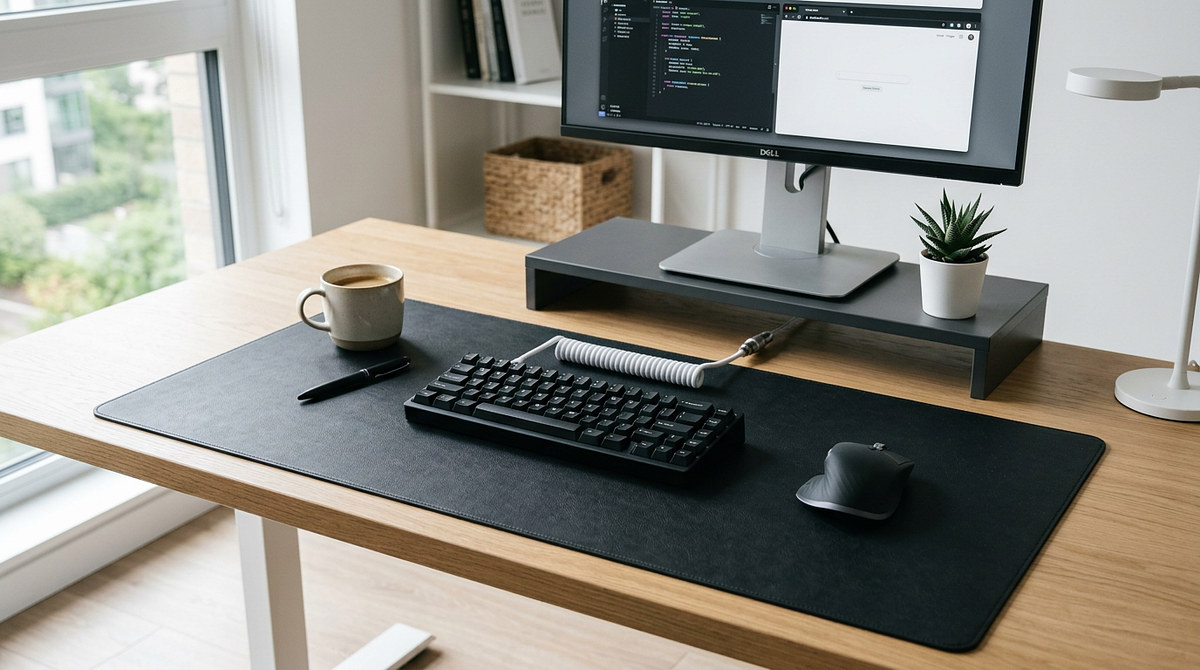
Desk mats and mouse pads do the same basic job, but they’re very different in size and how they fit into a workspace. A desk mat typically spans 24–48 inches and covers both your keyboard and mouse area. A standard mouse pad measures 9–12 inches and only covers the mouse zone. This page breaks down the differences in size, materials, and practical use cases for each. By the end, you’ll know which one makes sense for your setup and budget.
Size and Coverage: The Fundamental Difference
The size gap between desk mats and mouse pads drives every other difference between them. Knowing what each one actually covers on your desk is the best place to start.
Standard Mouse Pad Dimensions and Coverage Area
Standard mouse pads are built for mouse movement only. The dimensions are sized around wrist positioning and tracking space, nothing more.
- Typical dimensions: 9–12 inches wide × 7–10 inches deep
- Coverage area: Mouse-only zone, usually positioned to the right of the keyboard
- Wrist contact: Padded surface for your mouse hand only
- Desk exposure: Your keyboard, wrists while typing, and most of your desk surface stay in direct contact with the desk
Desk Mat Dimensions and Coverage Area
Desk mats are built to fit both your keyboard and mouse, creating one continuous surface across your main work area. The right size depends on your keyboard layout and how much horizontal range you need for multi-monitor setups.
- Common sizes: 24–36 inches wide × 12–18 inches deep (compact), 36–48 inches wide × 16–20 inches deep (standard), 48+ inches wide × 20+ inches deep (extended)
- Coverage area: Full keyboard and mouse zone, often extending past both
- Wrist contact: One surface for both hands during typing and mouse use
- Desk exposure: Minimal; covers your main work surface from the keyboard edge to the mouse movement area
Coverage Comparison Table
The table below shows how the coverage differences play out in a real workspace, so you can see which option fits your desk layout and peripheral setup.
| Feature | Standard Mouse Pad | Desk Mat |
|---|---|---|
| Width Coverage | 9–12 inches | 24–48+ inches |
| Depth Coverage | 7–10 inches | 12–20+ inches |
| Keyboard Accommodation | No — keyboard sits on bare desk | Yes — keyboard and mouse both on mat |
| Wrist Unification | Mouse hand only | Both hands during typing and mousing |
| Desk Protection | Mouse area only | Entire primary workspace |
| Portability | High — fits in laptop bags | Low — requires dedicated storage |
This size difference changes more than just how much desk you cover. Desk mats create a unified work zone. Mouse pads give you targeted support for mouse-specific tasks without changing anything else about your desk setup.
Functional Benefits Beyond Size
Size is the main difference, but each product also has specific functional benefits worth knowing about. Those benefits should help you match the right product to your actual needs.
Desk Mat Functional Advantages
Desk mats do more than just fit your keyboard and mouse. The benefits come from the unified surface they create and the larger footprint they take up on your desk.
- Keyboard stability: Stops your keyboard from sliding during heavy typing or gaming. The mat’s rubber base grips the desk while the keyboard settles slightly into the cloth surface.
- Noise dampening: Reduces keystroke sound by absorbing vibrations that would otherwise bounce off a hard desk surface
- Desk protection: Shields your desk finish from scratches, spills, and wear across the whole work area, not just the mouse zone
- Aesthetic uniformity: Creates a clean, consistent look for your setup instead of a mix of separate peripherals sitting on bare desk
- Wrist comfort during typing: Gives both wrists a cushioned surface during long typing sessions, not just your mouse hand
- Cable management: Some desk mats have stitched edges that help route cables along the perimeter, which cuts down on desktop clutter
Mouse Pad Functional Advantages
Standard mouse pads are built around mouse-specific performance. They offer design details that desk mats often trade away in exchange for broader coverage. These advantages matter most when mouse performance is your main concern.
- Thicker padding: Typically 3–5mm thick compared to 2–3mm for desk mats, giving your mouse hand more wrist cushioning
- Surface optimization: Dedicated mouse pads often feature specialized textures (speed vs. control surfaces) engineered specifically for mouse sensor tracking
- Portability: Easy to carry between locations. They fit in laptop bags or backpacks so you get consistent mouse performance wherever you work.
- Targeted replacement: When the surface wears out, you only replace the mouse pad, not an entire desk mat
- Desk material preservation: Lets you show off your desk finish (wood grain, custom surfaces) across most of the workspace while protecting only the high-friction mouse area
Performance Considerations for Gaming and Precision Work
Mouse tracking performance comes down to surface material and texture, not whether you’re using a desk mat or a dedicated mouse pad. Both are available in cloth (control-oriented, higher friction) and hard surface (speed-oriented, lower friction) variants. If you want a deeper look at how these surface types compare for gaming, the hard vs soft mouse pad guide covers performance differences between surface types in detail. For precision work like photo editing or design, either option works fine as long as the surface material matches your mouse sensor and how you like to move.
Think about which functional benefits matter most to you. If keyboard stability, noise reduction, and unified wrist support are what you’re after, a desk mat is the clear winner. If you want maximum mouse-specific padding, a specialized surface, or something portable, a standard mouse pad is the better pick.
Choosing Based on Your Workspace and Use Case
The better choice depends entirely on your workspace, your peripherals, and what you mainly use your desk for. Matching the product to your specific situation will always beat following generic advice.
When a Desk Mat Makes More Sense
Desk mats solve specific problems that standard mouse pads can’t. Go with a desk mat if your setup or habits match any of these scenarios.
- Full-size or TKL keyboard users: Your keyboard is large enough that unified surface coverage gives you real stability and noise reduction benefits. If you’re not sure which keyboard layout fits your desk, understanding mechanical keyboard switch types and layouts can help you figure out which size makes sense for your workspace.
- Aggressive typists or mechanical keyboard owners: Keystroke noise and keyboard sliding are noticeable problems on your current desk surface
- Multi-monitor setups with wide mouse movements: You need a consistent surface feel across a wide horizontal range, especially for gaming or design work that spans multiple screens
- Desk protection is a concern: Your desk has a finish worth protecting (wood grain, custom paint), or you’re worried about spills damaging the surface
- Aesthetic-focused setups: You want the clean, unified look of a single surface under all your peripherals
- Budget consideration: You’re comfortable spending $20–40 on a quality desk mat instead of $10–20 on a standard mouse pad, and you want the broader functionality
When a Standard Mouse Pad Is the Better Choice
Standard mouse pads are still the right call for specific setups and usage habits. Go with a mouse pad if these factors describe your situation.
- Compact keyboard users (60% or smaller): Your keyboard footprint is small, so unified coverage matters less than a dedicated, optimized mouse surface
- Frequent workspace changes: You work across multiple locations (office, home, coffee shops) and need portable mouse surface consistency
- Desk material showcase: You have a premium desk finish you want visible across most of your workspace, with protection only where the mouse actually moves
- Maximum wrist padding is a concern: You get wrist discomfort specifically during mouse use and need the thickest possible cushioning (4–5mm) under your mouse hand
- Surface specialization: You need a specific texture (speed cloth, hard polymer, hybrid surfaces) built for competitive gaming or precision tracking that most desk mats don’t offer
- Budget constraint: You’re working with a $10–15 budget and want mouse-specific performance over broader desk coverage
Cost-Benefit Analysis
Quality desk mats typically run $20–40, while standard mouse pads range from $10–25 depending on features and brand. The price difference reflects the larger amount of material, not better performance. A desk mat is worth the extra cost if you care about keyboard stability, noise reduction, and desk protection across your whole workspace. A mouse pad is the better value if portability, targeted wrist padding, or a specialized surface matters more than full coverage. Neither is overpriced for what it does. It just depends on which benefits you actually need.
Your desk size, keyboard size, and main activities should drive this decision. Measure your desk, think about whether keyboard stability matters for how you type, and decide whether you need something portable or something that stays put.
Material, Maintenance, and Longevity Considerations
Desk mats and mouse pads use similar materials, but the size difference affects how easy they are to clean and what it costs to replace them. It’s worth knowing what to expect before you buy.
Common Surface Materials
Both products use the same core materials. Performance comes from surface texture, not from whether it’s a desk mat or a mouse pad. Cloth surfaces feel soft and textured, offering control-oriented tracking with higher friction. Hard surfaces are smooth and rigid, giving you speed-oriented movement with lower friction. Hybrid options split the difference.
Cloth (woven fabric) is moderately durable but will eventually show edge fraying. It cleans up well in a washing machine or with spot treatment. Hard surface variants (polymer or plastic) are more durable, resist wear, and are easy to wipe down. Leather and PU leather options feel premium and smooth, last a long time, and just need an occasional wipe and conditioning.
Cleaning and Maintenance
Mouse pads are easier to clean because they’re small. Most cloth options fit in a washing machine or a sink for a thorough clean. Desk mats take more effort: cloth desk mats usually need to be washed in a bathtub or shower because of their size, while hard surface desk mats can be wiped down but cover a lot more area. Both products pick up oils, dust, and debris at similar rates based on material type. For a full breakdown of safe cleaning methods by material type, this guide on how to clean a mouse pad without damaging it covers cloth, hard surface, and specialty options in detail. How often you need to clean either one depends on how much you use it, but every 2–3 months is typical for moderate use.
Lifespan and Replacement
Standard mouse pads typically last 1–2 years before surface wear starts affecting tracking. Edge fraying is the most common failure point for cloth versions. Desk mats last about the same amount of time (1–2 years), but wear shows up more noticeably because of the larger surface area. The keyboard zone may wear differently than the mouse zone. Replacement cost favors mouse pads ($10–20) over desk mats ($20–40), but desk mats protect your actual desk surface, which could save you refinishing costs down the road. Both are consumable accessories that need to be replaced periodically.
Matching Surface Choice to Your Workspace Priorities
The desk mat vs. mouse pad decision comes down to one question: do you want unified workspace coverage or a surface built specifically for your mouse? Neither is objectively better. The right choice depends on your keyboard size, whether you want to protect your desk, and whether portability matters for how you work.
Measure your keyboard width and your typical mouse movement range to figure out whether unified coverage is worth the larger footprint. For detailed surface material recommendations and specific sizing guidance, look for comprehensive desk mat buying resources that break down texture options and dimensions for different keyboard layouts.
Frequently Asked Questions
Can I use a desk mat as a mouse pad?
Yes. Desk mats work as oversized mouse pads, giving you the same tracking surface while also fitting your keyboard. Mouse performance depends on the surface material (cloth, hard, hybrid), not on whether it’s labeled a desk mat or a mouse pad.
Do desk mats improve gaming performance compared to mouse pads?
No. Gaming performance depends on surface material and texture, not size. Both desk mats and dedicated gaming mouse pads come in speed and control variants. Competitive gamers often prefer dedicated mouse pads for the thicker padding and specialized surface treatments, but a desk mat made from similar materials will perform the same way.
What size desk mat do I need for a full-size keyboard and mouse?
A 36-inch wide × 16–18-inch deep desk mat fits most full-size keyboards and leaves enough room for comfortable mouse movement. If you use low mouse sensitivity and make wide sweeping movements, look at 48+ inch widths for more horizontal range.
Are extended mouse pads the same as desk mats?
Yes. “Extended mouse pad,” “desk mat,” and “desk pad” all refer to the same type of product. The different names come from regional preferences and manufacturer branding, but they all mean a large-format surface designed to fit both a keyboard and a mouse.
How often should I replace a desk mat or mouse pad?
Replace it when surface wear starts affecting mouse tracking or edge fraying becomes noticeable, which is usually every 12–24 months with moderate use. Hard surface variants last longer than cloth options, but both break down over time from accumulated oils and friction.
Can I wash a desk mat in a washing machine?
It depends on the size. Large cloth desk mats do better hand-washed in a bathtub with mild detergent, then laid flat to dry. Standard mouse pads can usually handle a gentle machine cycle. If yours is already worn out, that’s a good time to browse desk mat recommendations and pick a replacement.