
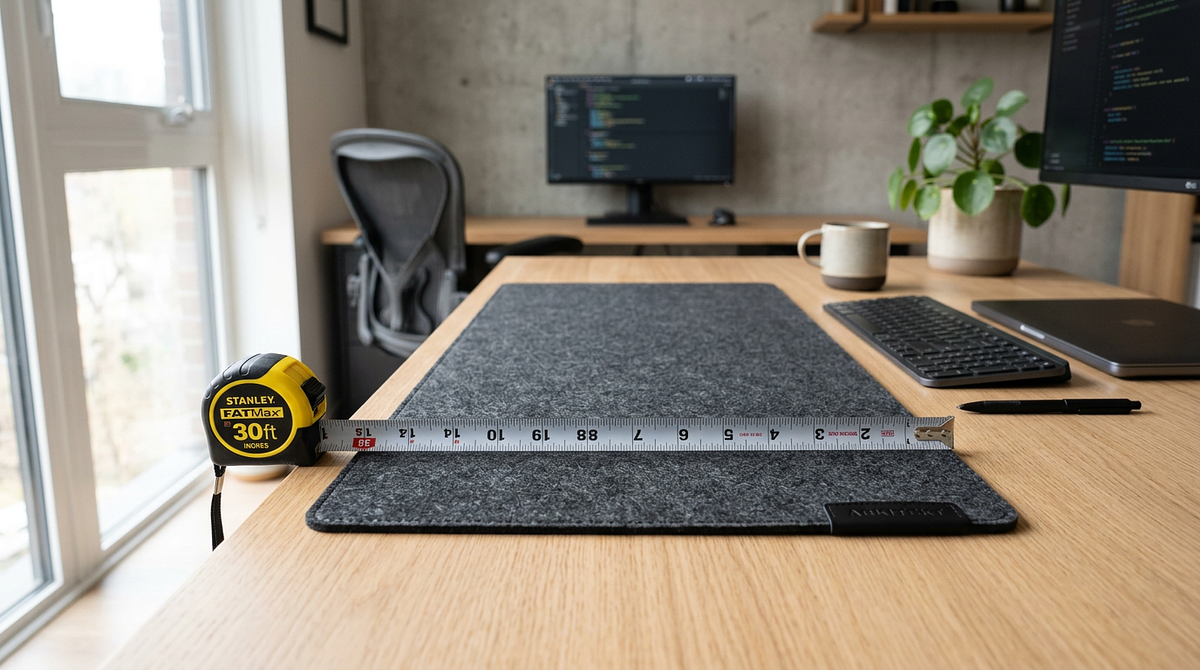
Custom sized desk mats are available from a range of vendors, but the options vary more than most buyers expect. Some sellers do true custom cutting to exact dimensions. Others offer preset sizes with custom printed designs. Knowing the difference matters before you order. This guide covers how to measure your desk, what to look for in materials like neoprene, leather, and PVC, and how to find vendors that match your needs. By the end, you’ll have enough information to choose the right mat size, material, and supplier for your workspace.
How to Measure Your Desk and Determine the Right Mat Size
Before you look at vendors or materials, you need accurate desk measurements and a clear idea of how much surface you want covered. Most sizing mistakes happen because buyers estimate instead of measure, or they forget to account for desk accessories that eat into usable mat space.
Measuring Your Desk for Mat Selection
Follow these steps to get accurate measurements that match vendor size categories:
- Clear your desk completely and measure the total width and depth in inches with a tape measure. Write both numbers down.
- Decide how much coverage you want: full desk (mat reaches the edges), keyboard-and-mouse (mat sits in the center), or mouse-only (a compact mat just for the mouse area).
- Measure around any accessories that will stay on the desk, like monitor stands, lamps, or cable management systems. Subtract those areas from your total usable mat space.
- Add 2-3 inches of clearance on each side if you want the mat to extend past your keyboard and mouse for arm support during long work sessions.
- Compare your final measurements to common preset sizes: compact (9.5×8″ to 12×10″), mid-size (12×18″ to 15×24″), and full-desk (24×14″ to 36×18″).
- If your measurements fall between standard options, round up to the next size. A slightly larger mat gives better coverage than one that leaves desk edges exposed.
Gaming Setup vs. Home Office Size Requirements
Different workspace types need different mat sizes based on equipment layout and how you move. Gaming setups usually need larger mats to handle low-sensitivity mouse movements and wide keyboard placement. Home office setups tend to focus more on desk protection and clean aesthetics than on performance space.
Gaming Setup Sizing:
- Compact gaming (24×14″): Works for high-DPI mouse users with minimal keyboard movement, typically FPS players who aim with their wrist
- Standard gaming (31.5×15.5″): Fits full-size mechanical keyboards and medium-sensitivity mouse movements for most gaming genres
- Extended gaming (36×18″): Needed for low-sensitivity arm aiming, ultra-wide keyboard layouts, or dual-monitor setups with shared mat coverage
Home Office Sizing:
- Compact office (12×18″): Covers a laptop workspace with an external mouse. Good for minimal desk setups or shared workspaces
- Standard office (24×14″): Fits a standard keyboard and mouse with some document space. The most common home office configuration
- Executive office (36×18″): Covers the full desk for dual monitors, document review areas, and a professional look
Common Desk Dimensions and Recommended Mat Sizes
| Desk Width | Desk Depth | Recommended Mat Size | Coverage Type |
|---|---|---|---|
| 48″ | 24″ | 36×18″ or 31.5×15.5″ | Full desk or centered workspace |
| 60″ | 30″ | 36×18″ (centered) | Centered workspace with desk edge clearance |
| 72″ | 30″ | 36×18″ (centered) or dual 24×14″ | Single centered or dual-zone coverage |
| 42″ | 24″ | 24×14″ or 31.5×15.5″ | Full coverage or centered workspace |
| 36″ | 20″ | 24×14″ | Full desk coverage |
Understanding Custom Sized vs. Custom Design Desk Mats
The term “custom sized mats for desk” causes confusion because it covers two different things: custom dimensions (physical size) and custom design (printed artwork). Most vendors advertise “custom desk mats” but only offer custom design printing on preset size options, not true custom dimension cutting.
Preset Size Options with Custom Design
Most desk mat vendors, including Custom Envy, Printerpix, and Inked Gaming, offer 2-7 preset size options where you upload your image or artwork for edge-to-edge printing. These aren’t custom dimensions. They’re standard sizes with personalized graphics.
Typical Preset Size Ranges:
- Compact: 9.5×8″ to 12×10″ (mouse pad replacement)
- Mid-size: 12×18″ to 15×24″ (keyboard and mouse coverage)
- Full-desk: 24×14″ to 36×18″ (complete workspace coverage)
- Extended: 31.5×15.5″ to 36×18″ (gaming and streaming setups)
Advantages of Preset Sizes:
- Faster production times (1-4 days vs. 4-8 weeks for custom cutting)
- Lower costs ($35-$60 vs. $80-$150+ for true custom dimensions)
- Consistent quality control and material consistency
- More vendors to choose from, with competitive pricing
Limitations of Preset Sizes:
- Can’t accommodate unusual desk shapes like L-desks, corner desks, or curved edges
- Limited to rectangular formats with no cutouts for monitor stands or cable grommets
- Maximum width is typically capped at 36-40″ regardless of desk size
True Custom Dimension Cutting Services
A small number of vendors, such as Custom Mat Shop and specialty fabricators, offer genuine custom dimension cutting where you specify exact measurements and even custom shapes. These services are built for non-standard desk configurations that preset sizes can’t handle.
Custom Cutting Capabilities:
- Exact dimension specification: Order mats in any width and length combination, not limited to preset options
- Custom shapes: L-shaped mats for corner desks, curved edges, or cutouts for desk accessories
- Oversized dimensions: Mats wider than 40″ for executive desks or multi-monitor workstations
- Material flexibility: Choice of neoprene, leather, PVC, cork, or felt in custom dimensions
Custom Cutting Trade-offs:
- Extended production time: Typically 4-8 weeks vs. 1-4 days for preset sizes
- Higher cost: $80-$200+ depending on dimensions and material vs. $35-$60 for preset options
- Limited vendor availability: Fewer than 10% of desk mat vendors offer true custom cutting
- No returns or exchanges: Custom-cut mats are typically final sale because of their non-standard dimensions
How to Identify True Custom Sizing Vendors
When researching vendors, look for these signs that tell you whether you’re dealing with true custom dimension services or just preset sizes with custom design printing:
True Custom Sizing Indicators:
- The website has dimension input fields (width and length) rather than size dropdown menus
- Product pages mention “custom cutting,” “any size,” or “made to your measurements”
- The pricing calculator adjusts based on square footage rather than fixed size tiers
- Production time is listed as 4+ weeks (custom cutting takes longer to fabricate)
- The vendor specializes in chair mats, floor mats, or industrial matting, which means they have custom cutting infrastructure
Preset Size with Custom Design Indicators:
- Size selection is limited to 3-7 dropdown options like “Small,” “Medium,” “Large,” “XL”
- Product descriptions focus on “upload your image” or “personalized design” without mentioning dimension flexibility
- Fast shipping (1-4 days) suggests pre-cut blanks with on-demand printing
- Pricing is fixed by size tier rather than calculated by dimensions
Desk Mat Materials, Thickness, and Edge Finishing Explained
The material you choose affects durability, mouse tracking, desk protection, and how the mat looks. Understanding the differences between neoprene, leather, PVC, and cork helps you match the material to your actual use case rather than just picking the cheapest option.
Material Types and Performance Characteristics
Each material has strengths that make it better suited to certain workspaces and usage patterns. Neoprene with rubber backing dominates the gaming and office market because it balances durability, mouse tracking, and cost. The smooth polyester top layer gives consistent sensor tracking for optical and laser mice, while the rubber backing keeps the mat from sliding during intense mouse movements.
Leather mats are built for executive offices and users who care more about how the desk looks than raw performance. Full-grain leather develops a patina over time that actually improves with age. The downside is that leather needs occasional conditioning to prevent drying and cracking, and unlike neoprene, it’s not machine washable.
PVC mats are the most budget-friendly option and the easiest to clean. The waterproof surface wipes down easily, which makes it a good fit for spill-prone environments. The trade-off is durability. PVC mats typically last 2-4 years before the edges start to curl, compared to 5-7 years for quality neoprene mats.
Cork and felt appeal to users who want natural materials and eco-friendly options, but both sacrifice mouse tracking performance. The textured surfaces create inconsistent sensor readings and more friction, which slows mouse movement. These materials work better for writing desks or laptop workstations where mouse precision isn’t a concern. If you’re deciding between a desk mat and a dedicated mouse pad, understanding the key differences between desk mats and mouse pads can help you figure out which surface type actually fits your setup.
Thickness Impact on Mouse Tracking and Comfort
Mat thickness affects wrist comfort during long sessions and mouse sensor performance. For most users, 3mm is the sweet spot. It provides enough cushioning for wrist support without creating an unstable mouse surface. It also keeps the mat height consistent across the surface, which matters for reliable optical sensor tracking, while still protecting the desk from scratches and spills.
The 2mm low-profile option adds minimal height to your desk surface but offers less wrist cushioning. You may need a separate wrist rest for extended typing sessions. Some mechanical keyboard users prefer the firmer feel of 2mm mats. This thickness is also common in leather mats, where the material’s stiffness makes up for the reduced cushioning.
Thicker 4-5mm mats offer maximum cushioning for users with ergonomic concerns, but they can create slight instability for high-precision mouse movements. The extra thickness can also cause keyboards to sit unevenly if the mat extends underneath them. These thicker variants typically use gel-filled or memory foam construction rather than standard neoprene.
Edge Finishing Methods and Fraying Prevention
Edge finishing determines how long your mat holds up and keeps its appearance. Stitched edges are the most durable option. Thread stitching around the entire mat perimeter prevents fabric separation and adds a 1-2mm raised border that some users find satisfying to the touch. Stitched edges hold up for 5+ years with daily use before showing wear, though the specialized equipment required typically adds $5-$10 to the mat cost.
Hemmed edges offer mid-range durability by folding and heat-sealing the fabric edge to prevent fraying. This creates a flat profile with no raised border. Hemmed edges aren’t as tough as stitching and may start to separate after 2-3 years of heavy use, but they’re common in budget and mid-range mats in the $30-$50 range.
Heat-sealed edges are the budget option. The mat edge is melted to seal the fabric without stitching or hemming. This has the lowest production cost and shows up in sub-$30 mats. Heat-sealed edges tend to separate and fray within 1-2 years, which makes them acceptable for light office use but not for gaming setups with frequent mouse movements.
Uploading Artwork and Ensuring Print Quality
Image resolution and file preparation determine whether your custom design prints sharp and clear or comes out blurry and pixelated. Most print quality problems come from uploading low-resolution images that don’t meet the vendor’s DPI requirements for the selected mat size.
Image Resolution Requirements by Mat Size
Vendors typically require 150-300 DPI (dots per inch) for acceptable print quality. Larger mat sizes need higher resolution source images to stay sharp across the bigger surface area. You can calculate the required resolution with this formula: multiply the mat width in inches by the DPI requirement to get the required pixel width, then multiply the mat height by the DPI requirement for the required pixel height.
For a 24×14″ mat at 300 DPI, you need a source image with at least 7200×4200 pixels (roughly 25-35 MB). A 36×18″ mat at the same DPI requires 10800×5400 pixels (roughly 50-70 MB). Smaller mats like 9.5×8″ need 2850×2400 pixels (6-8 MB), while mid-size 12×18″ mats require 3600×5400 pixels (15-20 MB).
Before uploading, check that your source image meets or exceeds the vendor’s DPI requirement for your mat size. Use PNG or high-quality JPG format. Avoid heavily compressed JPG files that introduce artifacts. Zoom your image to 100% on screen to check for pixelation, and make sure colors look clear and well-saturated without visible compression artifacts in detailed areas.
File Preparation and Upload Process
Most vendors have design preview tools that flag resolution issues before you complete your order, but preparing your file correctly beforehand prevents delays and gets you better results.
- Check your source image against the minimum pixel dimensions for your chosen mat size using the resolution calculation formula.
- Crop and resize the image to match your mat’s aspect ratio (width-to-height ratio) so the design fills the entire surface without distortion or unwanted borders.
- Bump up color saturation and contrast slightly above what looks normal on screen. Printing on fabric typically produces 10-15% less vibrant colors than digital displays.
- Save the file as PNG or maximum-quality JPG to preserve detail and color accuracy during upload and printing.
- Upload to the vendor’s design tool and use the preview function to check how your image appears on the mat template. Look for edge cutoff or unexpected scaling.
- Request a proof or mockup if the vendor offers it (some charge $5-$10). This lets you approve the final layout before production starts.
Common Print Quality Issues and Solutions
Blurry or pixelated output happens when your source image resolution is too low for the mat size you selected. Use a higher-resolution version of the image, or drop down to a smaller mat size that matches your available resolution.
Washed-out colors happen because fabric printing produces less vibrant results than screen displays, and low-saturation source images make this worse. Increase color saturation by 15-20% in photo editing software before uploading to compensate.
Images that don’t fill the entire mat result from an aspect ratio mismatch between your image and the mat dimensions, which causes letterboxing or pillarboxing. Crop your image to the exact mat aspect ratio, or use the “stretch to fill” option if your vendor offers it.
Designs cut off at the edges happen because vendors apply bleed areas or safe zones that crop the outer 0.25-0.5″ of your image. Keep important design elements at least 0.5″ from the edges, or ask your vendor for bleed specifications before uploading.
Matching Mat Size and Material to Your Workspace Budget
Desk mat pricing varies a lot based on size, material, and customization level. Preset size neoprene mats offer the best value for most users. True custom dimensions cost more because of the extra labor and material waste involved in custom cutting.
Price Ranges and Value Assessment
Knowing typical pricing helps you set realistic expectations and spot when a vendor is overcharging for standard features. Compact mats (9.5×8″ to 12×10″) in neoprene typically run $25-$40. The same size in leather costs $45-$70, and PVC options start at $15-$30. Custom cutting for compact sizes adds a premium, bringing costs to $60-$90.
Mid-size mats (12×18″ to 15×24″) follow similar material-based pricing: neoprene at $35-$55, leather at $60-$95, PVC at $25-$45, and custom cutting at $80-$120. Full-desk mats (24×14″ to 31.5×15.5″) are the most popular category, with neoprene at $45-$70, leather at $80-$130, PVC at $35-$60, and custom cutting at $100-$160.
Extended mats (36×18″ and larger) reach the upper end of pricing: neoprene at $55-$85, leather at $100-$180, PVC at $45-$75, and custom cutting starting at $130 and potentially exceeding $250 for oversized dimensions.
Some features are worth paying more for. Stitched edges add $5-$10 but prevent fraying and extend mat lifespan by 2-3 years. Premium materials like leather or cork cost 2-3 times more than neoprene but last longer and look better. Faster shipping (1-2 days vs. standard 4-7 days) adds $10-$25 depending on mat size and weight. True custom dimensions carry a premium that reflects custom cutting labor and non-standard material waste. Lifetime warranties are a good sign that the vendor stands behind their materials and construction.
Some features don’t justify higher prices. Custom design printing should be included in the base price. Avoid vendors charging $10+ extra just for image upload. Anti-slip backing is standard on all quality neoprene mats, not a premium feature. Machine washable is a standard property of neoprene and PVC, not worth an upcharge. “Gaming-grade” is a vague marketing term with no measurable performance difference from standard mats.
Budget Optimization Strategies
For gaming setups, the best value is a 3mm neoprene mat in 24×14″ or 31.5×15.5″ size ($45-$60) with stitched edges for durability during intense mouse movements. Custom design printing should be included in the base price. You can expect 5-7 years of lifespan with daily gaming use. Choosing the right surface also depends on how your mouse interacts with it — comparing hard vs soft mouse pad surfaces can help you decide whether a neoprene desk mat or a harder alternative better suits your gaming style.
Home office users get the most for their money with a 3mm neoprene mat in 12×18″ or 24×14″ size ($35-$55). Hemmed edges are fine for moderate use. You can pick professional or minimalist designs to match your office aesthetic. Expected lifespan is 5-7 years with daily use.
Executive offices are worth the premium: a 2-3mm full-grain leather mat in 24×14″ or 36×18″ size ($80-$130) with natural edge finishing or stitched borders. Solid colors or subtle embossed patterns keep the look professional. With proper leather conditioning, these mats can last more than 10 years.
For temporary setups or tight budgets, a 2mm PVC mat in 12×18″ or 24×14″ size ($25-$45) gets the job done. Heat-sealed edges are acceptable for 1-2 year use, and the easy-clean surface handles spill-prone environments well. Expected lifespan is 2-4 years with daily use.
Selecting Custom Desk Mats Based on Accurate Measurements and Material Priorities
The gap between “custom sized” expectations and preset size reality becomes manageable once you measure your desk accurately and match those dimensions to the closest preset option. That approach gets you a well-fitting mat in 1-4 days instead of waiting 8 weeks for custom cutting that costs 2-3 times more. Focus on material selection and edge finishing as the quality factors that affect long-term satisfaction. A 36×18″ neoprene mat with stitched edges will serve a 40×20″ desk better than a poorly constructed custom-cut mat that frays within a year. For truly non-standard desk shapes or widths over 40″, look into the small number of vendors that offer genuine custom cutting, but check their production timelines and return policies before you order.
Frequently Asked Questions About Custom Desk Mats
Can I get a desk mat larger than 36 inches wide?
Yes, but your options are limited to specialty vendors that offer custom cutting services like Custom Mat Shop. Production times run 4-8 weeks, and costs start at $130-$250 depending on exact dimensions and material.
Does mat thickness affect keyboard stability?
3mm thickness gives the best stability for most keyboards. Mats at 4-5mm may cause slight wobble with mechanical keyboards, while 2mm mats offer a firmer feel that some typists prefer. If you’re also evaluating your keyboard itself, understanding mechanical keyboard switch types and layouts can help you figure out which keyboard and mat combination works best for your typing style.
How do I clean a neoprene desk mat without damaging the print?
Wipe it down with a damp cloth for daily cleaning, or machine wash on a gentle cycle with cold water and air dry flat. Avoid bleach and high heat, which can fade sublimation printing.
Will a custom desk mat work with wireless charging mouse pads?
Standard desk mats don’t include wireless charging. You’d need a specialized charging mouse pad placed on top of the desk mat, or find one of the rare vendors that offer integrated charging in custom mats.
Can I order a desk mat with cutouts for monitor stands or cable grommets?
Only through custom cutting services that accept design templates. Preset size vendors don’t offer cutout options because that requires custom fabrication beyond standard printing.
Do stitched edges add significant thickness to the mat profile?
The 1-2mm raised border from stitched edges stays at the perimeter, leaving the main surface completely unaffected, so it’s rarely something you’ll notice during use. If you’re weighing this against other construction details, browsing mats by edge type can help you find the right fit for how you actually use yours.